Facebook Pixel is a free analytics tool that is added to the website as a code and helps Facebook track its users to see how they interact with website content. When you set up Facebook and Instagram via Meta, you can add a pixel to track customer data and behavior in your Shopify store.
To get started with your clothing store on the right foot or simply find yourself some design ideas and tips (while getting a little shopping done as well!), read on for our list of top Shopify clothing stores worth checking out.
Shopify is one of the great e-commerce platforms. But if your online sales drop or you want to switch to another eCommerce provider entirely like Magento,…
To start a business with a Shopify store, there are a wealth of activities you need to complete. Maybe the changing logo is the one you think about first. It helps upgrade your brand, where your logo shows where your product exists.
Shopify is one of the big-name platforms for E-commerce where the store admin can manage the store, inventory, change store settings and payment options. Today we will discuss everything surrounded the “Shopify Login”.
Both the well-known e-commerce systems Shopify vs Magento allow you to showcase your items to a sizable online audience. But they are very different tools. Selling on Shopify is similar to renting an online space with all the tools necessary to make it into a fully operating business.
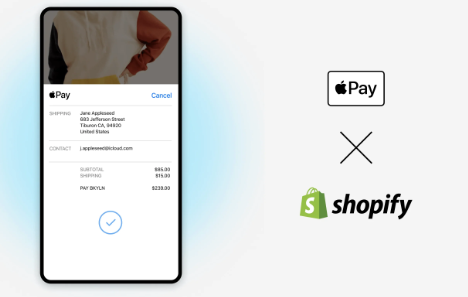
Shopify merchants currently accept payments through a variety of channels, including Stripe, Shopify Payments, PayPal, Apple Pay, and others. However, Apple users have access to Apple Pay, a more convenient and secure payment method. You can get all the information you need about Apple Pay in this guide.
With its powerful automation features, Shopify Flow, unique software for Shopify Plus subscribers, has retailers excited. It enables retailers to quickly automate selling procedures from the backend, increasing efficiency and enabling them to concentrate on other duties.
You want your customers to be able to see the original price when you run a discount offer so they can understand the discount. Don’t miss this article because I will detail how Shopify compare at price and how to set a compare at price for a product on Shopify.
For customers using Shopify online store platform. You must have at least once encountered the “buy one get one free” (BOGO) promotion. We’ll learn how to buy one get one free (BOGO) on Shopify functions, how to set it up, and why you should use it.
Shopify test orders are an essential check of the compatibility of financial transactions in the virtual store. You should make a test order to manage and investigate the settings of the Shopify store.
Shopify is one of the largest eCommerce platforms in the world today. So it’s no surprise that every business starts their online store journey on Shopify or migrates to Shopify from another platform over time. If you are new to Shopify, you may encounter some errors or warnings. We will explain to you about common Shopify errors and how to solve them.

 Services
 Solutions
 Main platform
 Technology
 White Label
  Offshore
 Hire developers