
 Services
 Solutions
 Main platform
 Technology
 White Label
  Offshore
 Hire developers



Shopify Spring Editions 2026 launched on June 17, 2026, bringing over 150 updates built around the theme “Everywhere,” the idea that your products need to show up wherever shoppers are looking, including inside AI conversations. If you run a Shopify store, this article will help you understand exactly which features deserve your attention, which ones are mostly for show, and most importantly, what you need to do before you miss a real deadline.
What Is Shopify Editions?
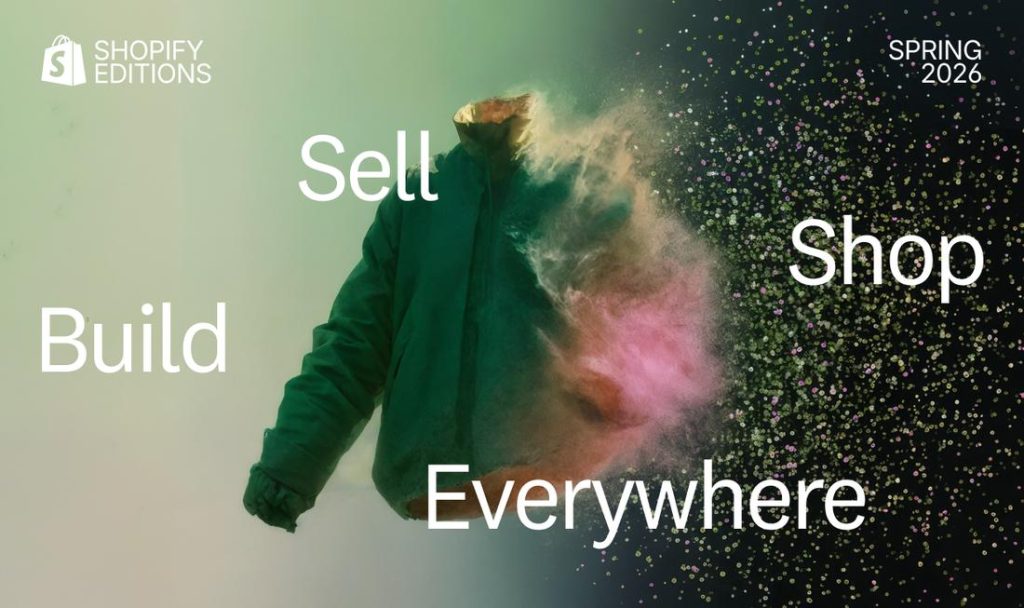
Shopify Editions is the company’s twice-a-year product showcase, typically held in spring and winter, where Shopify bundles together every feature it has shipped or is about to ship on the platform. The format began in 2022 and has become the most closely watched event in the Shopify ecosystem, since merchants, agencies, and developers all use it to understand what’s changing and to plan for what’s next.
Unlike the smaller updates that roll out quietly throughout the year, Editions is when Shopify presents the full picture: conversion optimization, sales channel expansion, storefront improvements, marketing tools, and developer API upgrades. Each Edition usually carries a theme, and for Spring 2026 that theme is commerce “everywhere,” meaning the traditional online store, the physical retail floor, and AI chat conversations alike.
The Focus of Spring 2026: Agentic Commerce Takes Center Stage
Agentic commerce, meaning commerce driven by AI agents rather than traditional web browsing, was actually laid down by Shopify back in Winter ’26 (launched December 10, 2025) with the introduction of Agentic Storefronts and the Universal Commerce Protocol. What Spring ’26 does is extend that infrastructure: getting products in front of more AI assistants, and letting shoppers complete a purchase without ever opening your website.

It’s worth separating these two moments clearly, since different articles tend to blur them together:
- Winter ’26 (December 10, 2025) is where Shopify first introduced Agentic Storefronts (putting products into AI conversations on ChatGPT, Perplexity, and Microsoft Copilot) and UCP (Universal Commerce Protocol), an open standard co-developed with Google that lets AI agents communicate with merchant systems throughout the buying journey.
- Spring ’26 (June 17, 2026) builds on that foundation with Shopify Catalog, a global structured product database that AI agents can search to recommend products. The Catalog API in Spring ’26 gained support for Sign in with Shop for logged-in shoppers, along with new bulk lookup and image search endpoints for developers. Eligible merchants are included in Catalog by default, with no manual setup required and no separate fee beyond your existing Shopify subscription.
If you’ve read a Winter ’26 recap and Agentic Storefronts or UCP sound familiar, that’s not a new Spring ’26 feature. Spring ’26 extends and rounds out an agentic commerce foundation that was already there.
That also means something practical: instead of optimizing purely for Google rankings, you now also need to optimize for AI agents to describe and recommend your products accurately. This is a form of AEO (Answer Engine Optimization) taking shape alongside traditional SEO.
The Top Features Worth Your Attention in Spring 2026
1. Shopify Catalog Expands What Agentic Storefronts Can Do
Agentic Storefronts, a feature that has existed since Winter ’26, lets shoppers browse products, ask questions, add to cart, and check out right inside the chat interface of platforms like ChatGPT or Microsoft Copilot, without ever leaving the conversation.
In Spring ’26, Shopify Catalog expands the amount of product data synced to these AI channels, and a new AI sales assistant has also gone live inside Shopify Inbox to answer customer questions and suggest products. If your product descriptions are already clear, most of this infrastructure is switched on for eligible merchants by default. Still, it’s worth reviewing your product data quality so AI describes it correctly.
2. Knowledge Base Inside Agentic Storefronts
This feature has been around since Winter ’26 but remains underused by most merchants: the Knowledge Base section lives inside Agentic Storefronts in the Admin, and shows you the actual questions AI agents are asking about your brand, things like store locations, bulk order terms, or customer service policies, and lets you fill in the answers directly. It’s worth a few minutes to set up so AI describes your business accurately when customers ask.
3. Shopify Functions Gets Direct Metaobject Access
On the technical side, Shopify Functions can now access app-specific metaobject entries directly without calling an external API, reducing latency compared to the old external-API approach and opening up more flexible logic inside checkout. Combined with the App Home UI Extension, merchants can manage business rules through an Admin interface while Functions reads that data directly at checkout time.
According to some development teams who have tested it, this is one of the more notable technical updates in Spring ’26 for the flexibility it offers, though how much it actually improves things will vary store by store.
4. Sidekick Reaches Further
Sidekick, Shopify’s AI assistant inside the Admin, is no longer just an information tool. It’s being expanded to “reach into” other apps in the ecosystem, letting merchants complete multi-app tasks without manually switching back and forth.
5. Campaign Autopilot & the Growth Tab (Early Access)
The new Growth tab paired with Campaign Autopilot lets you run AI-driven marketing campaigns from a single dashboard, currently live across Facebook, Instagram, Shop, and email, with Microsoft Advertising, ChatGPT Ads, and Snapchat on the roadmap. One important caveat: Campaign Autopilot launched as early access, available only to certain eligible merchants, not to every account at once. Minimum requirements include having Shopify Payments active, at least one product, complete shipping and refund policies, and not being on the Agentic plan.
If you don’t see this feature under Growth, it’s more likely you’re not yet eligible or it hasn’t rolled out to you, rather than a setup issue on your end.
6. POS v11 and Multi-Entity Selling
The point-of-sale system has been upgraded to version 11 with noticeably faster performance, along with multi-entity selling for brands operating multiple legal entities. That multi-entity capability, however, is currently limited to merchants on the Shopify Plus plan.
7. Hydrogen Now Runs on Any Stack
Hydrogen, Shopify’s storefront framework, has been rebuilt to run on a range of different stacks, including Next.js, instead of being limited to Shopify’s own ecosystem as before. This meaningfully widens the architectural choices available to development teams.
8. B2B Reaches More Plans
B2B features that were previously reserved mostly for Shopify Plus are now available on the Basic, Grow, and Advanced plans, giving millions more small and mid-sized merchants access to wholesale selling without needing to upgrade to the top-tier plan.
What Should You Do? (By Store Size)
| Store size | Priority actions |
|---|---|
| Just starting out / solo | No action needed to appear in Shopify Catalog, it’s on by default. Worth reviewing your product descriptions so they’re clear and easy for AI agents to describe accurately when recommending them. |
| SME (small to mid-size) | Set up Knowledge Base under Agentic Storefronts; check whether your store is eligible for Campaign Autopilot (early access); confirm the Scripts shutdown hasn’t caused any disruption. |
| Agencies / multi-store operators | Run an urgent audit across every client store to check whether the Scripts shutdown has left any checkout logic missing; migrate to Shopify Functions with metaobjects right away; take advantage of the newly expanded B2B features where relevant. |
| Enterprise / Shopify Plus | Evaluate multi-entity selling for brands with multiple legal entities; test Hydrogen against your current stack if you’re already on Next.js; look into native A/B testing in storefront and checkout. |
Shopify Scripts Has Already Stopped Running: What to Do If You Haven’t Migrated
This is a point many other roundups have gotten wrong or glossed over: Shopify Scripts is no longer “about to” stop working, it has already stopped running entirely as of June 30, 2026, and Shopify has confirmed this is the final deadline, with no further extensions (the date was already pushed twice before, from August 2024 to August 2025 and then to June 30, 2026). The intermediate cutoff of April 15, 2026, when merchants could no longer edit or publish new Scripts, has also long since passed.
If your store (or a client’s store you manage) was using Scripts for discount, shipping, or payment customization and hasn’t migrated yet, that logic has already stopped running quietly, with no warning and no visible error. This is now an urgent fix, not a “get to it soon” item:
- Check right now whether checkout is missing any logic. In Admin, go to Apps > Script Editor, run the report listing every Script that was previously active, and compare it against the discount, shipping, and payment rules you remember setting up.
- Figure out the scope of the impact. Check whether wholesale pricing, tiered discounts, or specific payment conditions are displaying incorrectly or have disappeared entirely.
- Migrate to Shopify Functions now. This is no longer an optional upgrade, it’s the mandatory replacement. Take advantage of direct metaobject access to rewrite your logic more cleanly and faster.
- Clean up your product data. Tidy up descriptions and attributes so they work well with Shopify Catalog and AI agents.
- Turn on and fill out Knowledge Base. Make sure AI describes your policies and store information accurately.
- Test before rolling out new features broadly. If your store is eligible for Campaign Autopilot (early access), cap the budget and approve each tactic manually before scaling up; for the new A/B testing tools, start with a small slice of traffic first.
If your store has complex checkout logic, or you’re not fully confident your migration to Shopify Functions was clean, ONEXT’s Shopify development team can help audit and implement it for you.
Comparing Spring ’26 to Previous Editions
Looking at Shopify’s recent Editions, Spring ’26 is less a completely new direction and more the next step in Shopify’s push toward agentic commerce.
Winter ’26, released in December 2025, laid the foundation. Shopify introduced Agentic Storefronts, allowing products to appear inside AI conversations, and introduced the Universal Commerce Protocol (UCP), a framework for AI agents to interact with commerce systems. The idea was simple: shoppers could discover products and increasingly complete purchases without being sent to a traditional storefront.
Spring ’26 builds on that foundation. Shopify Catalog gives AI agents structured access to product information, while new APIs and AI commerce capabilities make product discovery and purchasing easier across emerging AI channels. Shopify is also bringing AI into other parts of the merchant experience through Sidekick, Shopify Inbox, and marketing tools such as Campaign Autopilot.
The difference is important: Winter ’26 introduced the concept; Spring ’26 starts turning it into infrastructure.
That doesn’t mean merchants should abandon traditional SEO or rebuild their stores around AI. It means product data, brand information, policies, and commerce infrastructure need to be clear and well structured so they can work across both traditional search and emerging AI shopping experiences.
In short, Spring ’26 is not a collection of 150 unrelated updates. It shows where Shopify is heading: the storefront is no longer necessarily the first place a shopper discovers a product.
Conclusion
Shopify Spring Editions 2026 isn’t just another routine feature drop. It marks a clear shift toward a commerce model where AI agents become a genuine sales channel, not just an experiment. For merchants, the priority isn’t switching everything on at once, it’s getting the order right: confirm the Scripts shutdown hasn’t left any checkout gaps, clean up product data so it’s Catalog-ready, and only then start testing the new marketing and storefront tools.
If you’re not sure whether your store has been affected by the Scripts shutdown, check today using the Script Editor report in Admin. This isn’t a “deadline coming up” item anymore, it’s something that needs verifying right now, since the deadline has already passed.
If you’re considering expanding into B2B, moving to a headless setup with Hydrogen, or you need hands-on technical help getting these changes implemented correctly, ONEXT DIGITAL is ready to work with you on it.
FAQs
How many updates does Shopify Spring Editions 2026 include?
Over 150 updates were officially announced, spanning AI, retail, payments, marketing, and developer tooling.
Do I need to upgrade my Shopify plan to use the new features?
Most of the headline features, including Shopify Catalog, the Sidekick upgrade, POS v11, Shop Pay, and B2B on Basic/Grow/Advanced, are available across plan tiers. Only a handful of features, like multi-entity selling, multi-entity Tap to Pay, and Shopify Payments in the UAE, remain limited to Shopify Plus. Campaign Autopilot, on the other hand, isn’t gated by plan at all, it’s in early access and rolling out gradually to eligible stores.
Does Shopify Catalog cost extra?
No. Shopify Catalog is already included in your existing Shopify subscription, with no separate fee to sync your products into AI channels.
What is UCP and why does it matter?
UCP (Universal Commerce Protocol) is an open standard co-developed by Shopify and Google that lets AI agents communicate consistently with merchant systems across the entire buying journey, from product discovery to checkout.
What if I’m still using Shopify Scripts?
Shopify Scripts stopped running entirely as of June 30, 2026, the final confirmed deadline with no further extensions. If you haven’t migrated, any checkout customizations built on Scripts have already stopped working. You need to audit your store and move to Shopify Functions as soon as possible.
Where can I see the full list of features?
The official page at shopify.com/editions/spring2026 lists every feature along with links to help docs and developer references.