
 Services
 Solutions
 Main platform
 Technology
 White Label
  Offshore
 Hire developers



AI chatbot development can cost anywhere from $2,000 to $500,000+. That sounds like a huge range, but there is a good reason for it. A simple FAQ bot may only take a few thousand dollars and 2–4 weeks to build, while an enterprise AI assistant with CRM integrations, multilingual support, custom workflows, and stricter security requirements can cost hundreds of thousands and take 4–9 months.
The term “AI chatbot” covers a lot of ground. A bot that follows a few predefined FAQ flows is a very different project from an AI assistant that understands context, connects to business systems, and takes actions on a user’s behalf. The actual cost comes down to what you need the chatbot to do, how much data and integration work is involved, and how much needs to be built from scratch.
The pricing ranges in this article come from our experience scoping custom software and AI projects at ONEXT DIGITAL, with a cross-check against publicly available pricing guides from other development companies. They are intended as practical planning figures, not fixed market rates or quotes. Your actual cost will depend on the scope, technology, integrations, and level of support your project requires.
How Much Does It Cost to Develop an AI Chatbot?
The price varies widely because an “AI chatbot” can mean very different things. A simple FAQ bot may only need predefined answers and a basic interface, while a more advanced assistant may need to work with internal data, connect to business systems, handle complex conversations, or meet specific security requirements.
| Chatbot type | Development cost | Typical timeline | Example capabilities |
|---|---|---|---|
| Rule-based / FAQ bot | $2,000–$10,000 | 2–4 weeks | Answers common questions and follows predefined conversation flows |
| AI-powered (basic NLU) | $10,000–$50,000 | 6–10 weeks | Understands user intent, connects with 1–2 business systems, supports multiple channels |
| LLM-based (GPT/Claude API) | $30,000–$150,000 | 8–16 weeks | Handles natural conversations, uses internal data through RAG, and manages more complex queries |
| Enterprise / custom generative AI | $150,000–$500,000+ | 4–9 months | Connects with multiple core systems and may include stricter security, multilingual support, or voice |
These figures cover the development work, not the ongoing cost of running the chatbot. API usage, hosting, maintenance, monitoring, and data updates can add to the budget after launch. We cover those costs later in the article.
The ranges are based on project estimates and publicly available pricing guides from software development companies. They are useful for planning, but they are not fixed market rates. The actual price will depend on the chatbot’s features, integrations, data, security requirements, and how much needs to be built from scratch.
What Affects AI Chatbot Development Cost?
The AI model is only one part of the cost. What usually makes a project more expensive is everything that needs to happen around it: connecting business systems, preparing data, testing the chatbot, and making sure it behaves properly when users ask something unexpected.
- Core technology. A rule-based chatbot with a few fixed flows is fairly straightforward to build. An LLM-based chatbot using GPT, Claude, or Gemini involves more moving parts. Depending on the project, you may need RAG, prompt design, data preparation, guardrails, testing, and monitoring as well.
- System integrations. Connecting the chatbot to a CRM, ERP, payment system, helpdesk, or internal database can add a lot of development work. The actual effort depends on the system and its API, how data needs to be mapped, and what the chatbot is allowed to do. Reading information from a system is one thing; creating tickets, updating records, or triggering actions is another.
- Conversation design. A simple FAQ bot does not need much beyond a few well-defined flows. A customer-facing assistant is different. It may need a specific tone of voice, carefully written responses, fallback rules, and testing with real users. More refinement means more design and testing time.
- Security and compliance. If the chatbot handles customer or business data, security needs to be considered from the start. Depending on the industry and location, this can mean access controls, data-handling rules, logging, security testing, or other compliance requirements. These costs are easy to overlook when a project is first scoped.
- Languages and channels. Adding languages is not simply a matter of translating the chatbot. Each language needs to be tested for accuracy, tone, and edge cases. Supporting the chatbot across a website, mobile app, WhatsApp, or other channels also adds development and testing work.
- What the chatbot needs to do. There is a big difference between answering a question and taking an action. An FAQ bot may only need to find and return information. A more advanced assistant might need to remember context, check an order, book an appointment, create a support ticket, or update a CRM. Each of those actions adds logic and testing behind the scenes.
One practical point from project scoping: connecting a chatbot to an LLM is often not the difficult part. The harder work can be getting business data into a form the chatbot can actually use, connecting the right systems, testing its responses, and putting sensible limits around what it can say or do. That is why two chatbots using the same AI model can end up with very different development costs.
AI Chatbot Development Cost by Use Case
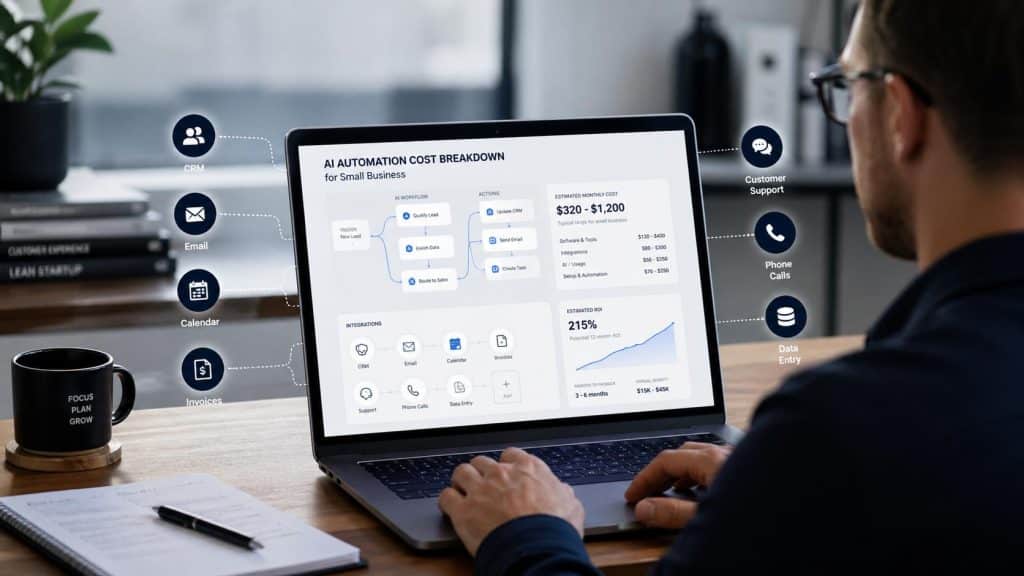
The cost depends heavily on what you want the chatbot to actually do. A simple FAQ bot can be built around a few fixed answers, while a production chatbot may need to connect to your CRM, search internal documents, take actions, or handle voice calls.
The ranges below cover development and implementation. API usage, hosting, maintenance, and other ongoing costs are separate and are covered in the Hidden Costs and TCO sections later in this guide.
1. FAQ Bot / Basic Support Chatbot: $3,000–$12,000
This is usually the simplest type of chatbot. It can answer common questions about opening hours, shipping, returns, pricing, product information, and similar topics. Most of the conversation follows predefined flows, so there is little need for complex integrations or business logic.
Example: A retail business wants a chatbot on its website to answer product and shipping questions across around 40 predefined conversation flows. There is no CRM integration and only one channel. A project like this could cost around $4,000–$6,000 and take about three weeks.
2. Customer Support Chatbot: $15,000–$60,000
Customer support chatbots need to handle more than simple questions. They may need to understand why a customer is contacting the business, look up account or order information, create a support ticket, and pass the conversation to a human when needed.
Example: A service business wants to automate common support requests and connect the chatbot to its existing ticketing system. It also needs human handoff and wants to use previous support conversations to improve responses. Depending on the systems involved, a project like this could cost around $25,000–$35,000 and take roughly eight weeks.
3. Sales / Lead Generation Chatbot: $20,000–$80,000
A sales chatbot has a different job from a support bot. Instead of simply answering questions, it helps qualify potential customers, collect contact details, and pass useful information to the sales team.
Example: A B2B company wants a chatbot that asks qualifying questions based on its sales criteria and sends the results to HubSpot. With a custom qualification flow and two-way CRM integration, the development cost could be around $35,000–$45,000.
4. Internal Knowledge Bot: $30,000–$120,000
Internal knowledge bots help employees find information across company documents, policies, procedures, and other internal resources. RAG (Retrieval-Augmented Generation) is commonly used for this type of system, allowing the chatbot to retrieve relevant company information before generating an answer.
The challenge is not simply connecting the chatbot to a collection of documents. You also need to think about document quality, access permissions, how often the information changes, and what happens when documents contain outdated or conflicting information. Connecting a few PDFs is very different from building a knowledge system that employees can rely on every day.
Example: An organisation has thousands of pages of internal documentation and wants employees to search them in natural language, while limiting access based on department. A project with this level of scope could cost around $50,000–$70,000 and take 10–12 weeks.
5. AI Voice Agent: $60,000–$250,000+
Voice agents require more than a text-based chatbot because conversations happen in real time. The system needs speech recognition, text-to-speech, response handling, interruption management, and call routing. There are also ongoing costs for telephony, call minutes, recording and storage, and monitoring.
Example: A business wants an AI agent to handle the first part of incoming support calls before transferring customers to a human. The system needs real-time speech processing and integration with an existing call centre. A project like this could start around $80,000, with the final cost depending on the call flows, integrations, and how much of the conversation the AI is expected to handle.
The examples above are illustrative rather than quotes for specific clients. They are intended to show how different requirements can change the cost of an AI chatbot project.
What Is Included in the Development Cost?
A chatbot quote may look like one number, but there is usually quite a bit of work behind it. The easiest way to compare quotes is to look at what the vendor is actually doing for that price.
| Phase | What it covers |
|---|---|
| Discovery & scoping | Defining requirements, use cases, success metrics, and technical constraints before development starts |
| Conversation design | Mapping user intents, conversation flows, tone of voice, and fallback or escalation paths |
| UI | The chat widget or interface users interact with on a website, app, or messaging platform |
| Backend | The application logic that connects the chatbot to your business systems |
| LLM integration | Connecting to the chosen model, such as GPT or Claude, and handling prompts and outputs |
| RAG / knowledge base | Preparing, indexing, and retrieving your own data so the chatbot can use it when answering questions |
| System integrations | Connecting the chatbot to CRM, ERP, helpdesk, payment, or other internal systems |
| Testing & QA | Testing conversations, edge cases, response accuracy, and guardrails before launch |
| Deployment | Moving the chatbot into production across the required channels |
| Monitoring setup | Setting up dashboards or alerts to track usage, errors, and performance after launch |
When you compare two quotes, don’t just compare the final price. Check what is included in each one. A cheaper quote may have a smaller scope, or it may leave things such as integrations, testing, deployment, or monitoring out of the initial price.
Ask the vendor to break the quote down by phase. It makes the differences between proposals much easier to see and helps you avoid paying extra later for work you assumed was already included.
Hidden Costs to Include in Your AI Chatbot Budget
The development quote is not the whole cost of an AI chatbot. Once it goes live, you still need to pay for things like API usage, hosting, maintenance, and keeping the information behind the chatbot up to date.
- LLM API usage. If your chatbot uses GPT, Claude, or another model through an API, you pay based on usage. The cost may be small when traffic is low, but it can add up as the number of conversations grows. Check the latest pricing from OpenAI or Anthropic and estimate the cost using your expected conversation volume.
- Hosting and infrastructure. Depending on how the chatbot is built, you may need cloud hosting, databases, storage, logging, and other services. A RAG-based chatbot may also need a vector database or search service. These costs generally depend on traffic, data volume, and the architecture behind the chatbot.
- Maintenance and updates. A chatbot is rarely something you build once and leave alone. Product information, business rules, integrations, and conversation flows can all change. Some vendors include ongoing maintenance in a monthly fee, while others charge separately for updates and additional development.
- Data refresh. RAG-based chatbots rely on the information they retrieve from your own data. If your documents, product information, policies, or internal knowledge change regularly, that data needs to be updated too. Otherwise, the chatbot may continue using information that is no longer accurate.
- Security and compliance. If the chatbot handles customer or sensitive business data, you may need additional security work, access controls, logging, testing, or compliance reviews. These requirements are often separate from the initial development work.
- Architecture changes. A chatbot that is cheap to build initially can become expensive to change later if the underlying architecture cannot support new requirements. For example, a simple rule-based bot may work well at first, but adding RAG, CRM integrations, complex workflows, or multiple channels later could require significant redevelopment.
One simple way to avoid surprises is to separate one-time development costs from ongoing costs when reviewing a quote. Ask the vendor what you will pay to build the chatbot, what it will cost to run each month, and what happens when you need changes after launch. That gives you a much more realistic picture of the total budget.
AI Chatbot TCO: Year 1 vs. Year 2
The development fee is only part of what you will spend on an AI chatbot. Once it goes live, there are still API, hosting, maintenance, and other running costs to consider.
Here is a simple example for a mid-sized LLM-based chatbot. These figures are illustrative estimates, not market averages. Your actual costs will depend on things like conversation volume, the model you use, integrations, data, and infrastructure.
| Line item | Year 1 | Year 2+ (per year) |
|---|---|---|
| Initial development | $40,000 | — |
| API / token costs | $3,000–$8,000 | $4,000–$12,000 |
| Hosting & infrastructure | $1,200–$3,000 | $1,500–$4,000 |
| Maintenance & updates | Included in the initial contract* | $6,000–$10,000 |
| Estimated total | $44,200–$51,000 | $11,500–$26,000 |
For this example, Year 1 maintenance is assumed to be included in the initial development contract.
That puts the estimated two-year cost at around $55,700–$77,000. The initial build accounts for roughly 52%–72% of that total, depending on how much the chatbot costs to run and maintain.
The point is not that every chatbot will follow these numbers. The point is that the development fee is only one part of the budget. A chatbot that costs $40,000 to build can require another $11,500–$26,000 a year to run and maintain, depending on usage and support needs.
When comparing vendor quotes, ask one straightforward question: “Does this price cover the initial build only, or does it include any first-year operating costs?” Then check API usage, hosting, maintenance, and support separately. That will give you a much clearer picture of what the chatbot is likely to cost over time.
How to Reduce AI Chatbot Development Costs
You do not have to build a big, expensive chatbot from the start. A more practical approach is to keep the first version focused, see what actually works, and spend more only where it adds value.
- Start with an MVP. Pick the one or two problems the chatbot really needs to solve and leave the rest for later. Once the first version is being used, you will have a better idea of which features are worth adding. This keeps the initial budget under control and avoids paying for features nobody uses.
- Start with an LLM API before considering fine-tuning. For many business use cases, a good prompt, RAG, and proper testing may be enough. Fine-tuning can be useful when you have a clear reason to customise the model, but it also means preparing training data, testing the results, and maintaining that setup over time. It is not automatically the better or cheaper option.
- Do not overbuild the architecture. A basic prototype may need to be replaced later if it cannot handle new integrations, channels, or higher usage. But building for every possible future requirement can waste money too. The better approach is to leave room for the next stage without paying for everything upfront.
- Use reusable components where they make sense. A development partner may already have components for RAG, CRM integrations, authentication, or chatbot testing. Reusing proven parts can save development time compared with building everything from scratch. Just make sure they actually fit your project rather than forcing your requirements around an existing template.
- Break the project into phases. Instead of approving the full scope at once, you can start with discovery and an MVP, then move on to integrations and more advanced features. This gives you a chance to review the results before committing more budget.
The easiest way to control chatbot development costs is not to cut corners. It is to be clear about what you need now, what can wait, and what you are actually paying for. A smaller chatbot that works well is often a more sensible starting point than a large system packed with features you may never use.
How to Evaluate an AI Chatbot Development Quote
Two quotes for what sounds like “the same chatbot” can end up being very different. That does not necessarily mean one vendor is overcharging. Often, the difference is simply in what each quote includes.
Before you compare the final numbers, look at the details behind them. A few things are particularly worth checking:
- Scope: Is there a clear list of what will actually be built, or is the project simply described as “an AI chatbot for your business”?
- Integrations: Which systems will the chatbot connect to? Check whether CRM, ERP, helpdesk, payment, or other integrations are included in the price.
- Data preparation: If the chatbot needs to work with your internal documents or business data, who will clean, organise, and prepare that information?
- Model and API costs: Which LLM will the chatbot use? More importantly, who pays for API usage after launch? This should be clear before development starts.
- RAG and knowledge base: If you want the chatbot to answer questions from your own documents, check what is actually included. “Connects to your files” can mean very different things depending on how the retrieval system is built.
- Testing: Ask how much testing is included before launch. A good chatbot needs to be tested against normal questions, unexpected inputs, incorrect requests, and situations where it should hand the conversation over to a person.
- Security: If the chatbot handles customer or internal data, check whether access controls, logging, data handling, and any relevant compliance work are part of the scope.
- Deployment: Which channels are included? A website chatbot, mobile app, and messaging platform may require different development and testing work.
- Ownership: Find out what you actually own when the project is finished. This can include the source code, chatbot configuration, prompts, knowledge base, and your data. You should also know whether you can move the system to another vendor later.
- Maintenance: What happens after launch? Check how long support is included and which types of fixes or changes will cost extra.
- Ongoing costs: Make sure the quote separates the initial development fee from recurring costs such as LLM API usage, hosting, monitoring, and maintenance.
This is also where a surprisingly cheap quote can become expensive. One vendor might include CRM integration, testing, deployment, and three months of support, while another charges for each of those separately.
So when comparing quotes, look at what you are getting for the price, not just the number at the bottom. If something is vague, ask the vendor to spell it out before you sign. It is much easier to clear up a scope issue at the quoting stage than after development has already started.
Conclusion
There is no single price for building an AI chatbot. A simple FAQ bot might cost a few thousand dollars, while a chatbot that connects to business systems, works with internal data, or handles voice can quickly reach six figures.
The important thing is to look beyond the development fee. Before choosing a vendor, make sure you understand what is included, which integrations and data work are covered, and what you will continue to pay for after launch.
A clear scope will usually tell you more than a low headline price. It gives you a better basis for comparing vendors and, just as importantly, helps you avoid finding out about missing costs halfway through the project.
FAQs
How much does it cost to develop an AI chatbot in 2026?
AI chatbot development can cost anywhere from around $3,000 to $500,000+, depending on the use case and complexity. A basic FAQ chatbot may cost a few thousand dollars, while LLM-based, RAG, voice, or enterprise systems can require tens or hundreds of thousands of dollars.
How much does a customer support chatbot cost?
A custom customer support chatbot typically costs around $15,000–$60,000. The final cost depends on features such as CRM or helpdesk integration, knowledge base access, human handoff, account or order lookup, multilingual support, and the number of channels the chatbot needs to support.
How much does an AI chatbot for lead generation cost?
An AI chatbot for lead generation may cost around $20,000–$80,000. Costs increase when the chatbot needs to qualify leads, connect with a CRM, personalise conversations, trigger follow-up workflows, or provide detailed conversion and campaign tracking.
How much does a RAG chatbot cost?
A custom RAG chatbot can cost around $30,000–$120,000, depending on the amount and type of data involved. Key cost factors include document processing, data ingestion, retrieval architecture, permissions, security, integrations, and how frequently the knowledge base needs to be updated.
How much does an AI voice agent cost?
An AI voice agent can cost around $60,000–$250,000 or more for a custom implementation. Voice projects typically require additional work for speech recognition, text-to-speech, real-time conversation handling, telephony, call flows, integrations, monitoring, and testing.
What are the ongoing costs of an AI chatbot?
Ongoing costs typically include LLM or API usage, cloud hosting, monitoring, maintenance, security updates, data refreshes, and improvements to integrations or conversation flows. For a custom chatbot, these costs can range from a few thousand dollars to more than $10,000 per year depending on usage and complexity.