
 Services
 Solutions
 Main platform
 Technology
 White Label
  Offshore
 Hire developers



In 2025, retail businesses face a hard truth: poor inventory management can silently drain up to 10% of annual revenue through stockouts, overstocking, and missed sales opportunities. Imagine a customer walking into your store for a best-selling item only to find an empty shelf. Not only do you lose that sale, but you may also lose that customer for good.
In today’s fast-paced retail landscape, manual spreadsheets and guesswork are no longer enough. Inventory software for retail shops empowers you to track stock in real time, keep every sales channel in sync, and automate everything from purchasing to restocking. The result? Fewer mistakes, faster decisions, and a shopping experience that keeps customers coming back.
In this guide, you’ll learn:
- What inventory software for retail shops is and why it matters in 2025
- Why retail shops need inventory software to stay competitive
- The key features to look for when choosing a solution
- The best inventory software options available in 2025
- How to select the right system for your business
- Practical tips to maximize the benefits of inventory software
What is Inventory Software for Retail Shop?
Inventory software for retail shop is a digital solution that helps store owners track, organize, and manage their products with greater efficiency. Instead of manually updating spreadsheets or keeping records on paper, the software automatically records stock status, sales, purchases, and returns in real time.
Most retail inventory systems include features such as barcode or QR code scanning, product categorization, sales reporting, and demand forecasting. Some advanced solutions can connect directly with point of sale systems, e-commerce platforms, and accounting software, ensuring that all business data is kept in sync across every sales channel.
By using the right inventory software, retail shops can minimize human errors, optimize stock levels, and save time to focus on business growth and customer satisfaction. Whether you are running a small boutique or a large chain store, having an effective inventory management system has become essential for staying competitive in today’s market.
Why Do Retail Shops Need Inventory Software?
In the competitive world of retail, effective stock management can determine whether a business thrives or struggles. Inventory software for retail shop gives store owners the ability to keep operations running smoothly while meeting customer demand without unnecessary costs.
Here are some of the key reasons every retail shop should consider using an inventory management solution:
1. Prevent stockouts and overstocking
Maintain the right balance of products so you never lose sales due to empty shelves or tie up capital in items that remain unsold.
2. Gain real time visibility
Access accurate stock data at any moment from any location, allowing you to make faster and more confident business decisions.
3. Improve demand forecasting
Use past sales data and market trends to predict future needs and plan purchasing more effectively.
4. Enhance multi channel sales
Synchronize inventory across physical stores, online shops, and marketplaces to avoid overselling and maintain consistent customer experiences.
5. Reduce manual errors
Minimize mistakes that often occur when counting stock or updating spreadsheets by hand.
6. Boost operational efficiency
Save time for your team by automating repetitive inventory tasks, giving them more time to focus on customer service and business growth.
With these advantages, inventory software has moved from being an optional tool to becoming an essential part of running a successful retail business.
What Key Features Should You Look for in Inventory Software for Retail Shops
Choosing the right inventory software for retail shop means understanding which features will have the biggest impact on your business. The best systems go beyond simple stock counting and provide tools that help you manage, analyze, and grow your operations.
1. Real time inventory tracking
Monitor stock levels as sales and purchases happen, ensuring that you always have an accurate view of available products.
2. Barcode and QR code scanning
Speed up product check in and check out while reducing the chances of human error during stock updates.
3. Product categorization
Organize your inventory into clear categories, making it easier to locate items, track sales performance, and manage reordering.
4. Point of sale integration
Connect your inventory system directly to your checkout process so that every sale updates stock automatically.
5. Reporting and analytics
Generate detailed sales reports, identify best selling products, and uncover slow moving items to improve purchasing decisions.
6. Multi location support
Manage inventory across several stores or warehouses from one central system without losing track of stock movement.
7. Cloud based access
View and manage your inventory from any device with an internet connection, whether you are in the store, at home, or traveling.
By focusing on these features, retail shop owners can choose software that not only keeps stock under control but also supports long term growth and better decision making.
What Are the Best Inventory Software Options for Retail Shops in 2025
The market offers many inventory software solutions, but the right choice depends on your store size, budget, sales channels, and desired level of automation. Top options include:
1. Square for Retail
Square for Retail is one of the most popular choices for small to medium-sized retailers due to its ease of use and affordable pricing. It comes with built-in inventory tracking, a seamless point-of-sale system, and real-time sales reporting. The interface is intuitive enough for beginners, yet powerful enough to support growing businesses.
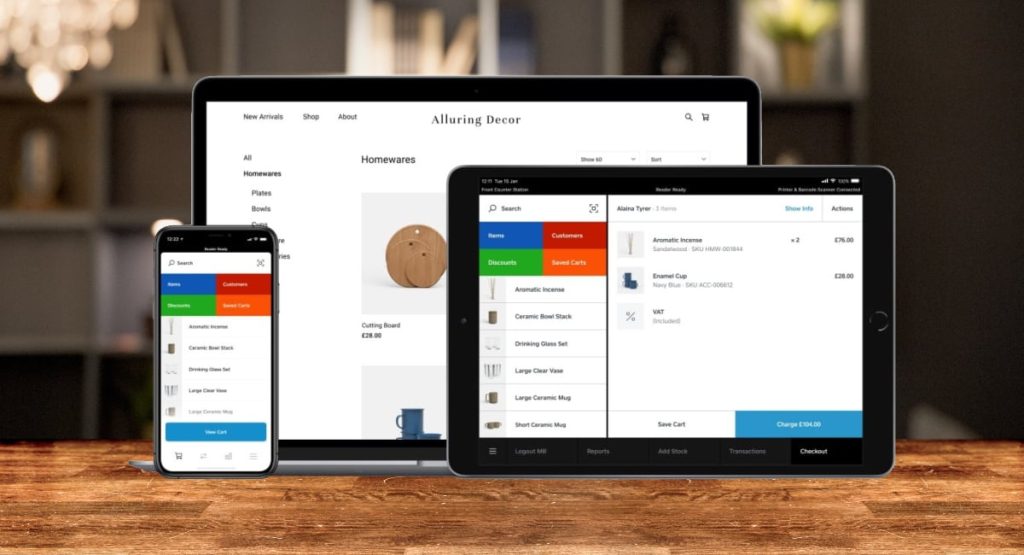
Square also offers integrated payment processing, allowing you to manage sales, stock, and payments all in one place. In fact, according to a 2024 case study, Brooklyn-based store “The Local Goods” reduced stock discrepancies by 35% and cut checkout time by 25% within just a few months of switching to Square for Retail.
Best for: Small to medium retail shops, pop-up stores, businesses selling both online and in-store
Pricing: Starts from around $60 per month for the Plus plan
2. Lightspeed Retail
Lightspeed is a robust cloud based system that goes beyond basic inventory tracking. It supports advanced features like purchase order creation, vendor management, detailed analytics, and multi location inventory control.
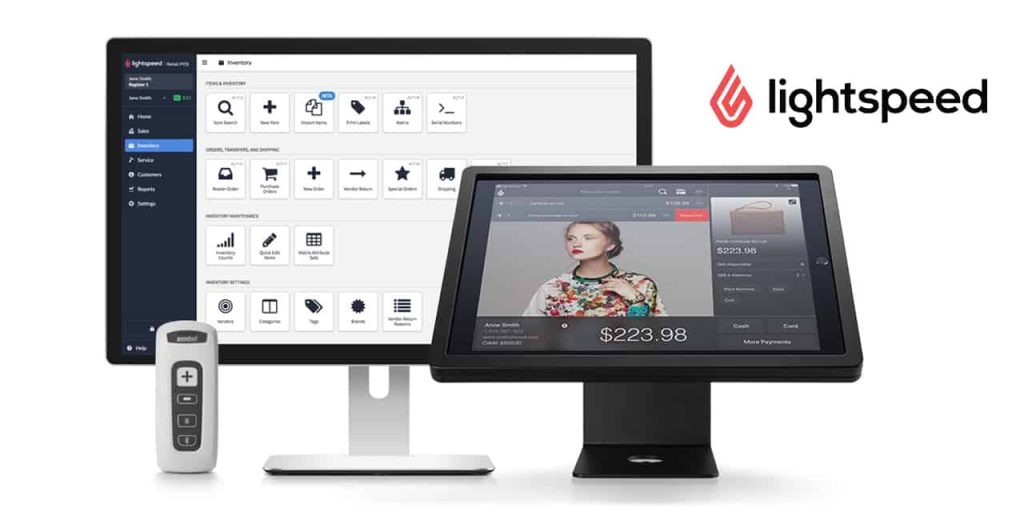
Lightspeed also integrates with popular e-commerce platforms and includes built in customer loyalty tools. The system is ideal for retailers who want a complete solution for both stock management and customer engagement.
Best for: Medium to large retail operations, especially those with multiple locations
Pricing: From around $89 per month
3. Zoho Inventory
Zoho Inventory is a budget-friendly yet feature-packed solution that helps retailers stay on top of their stock across multiple channels. It comes with barcode scanning, order and warehouse management, and seamless integration with platforms like Amazon, eBay, Shopify, and other online marketplaces. Automation tools for reorder points and workflow customization make it easy to streamline operations and reduce manual work.
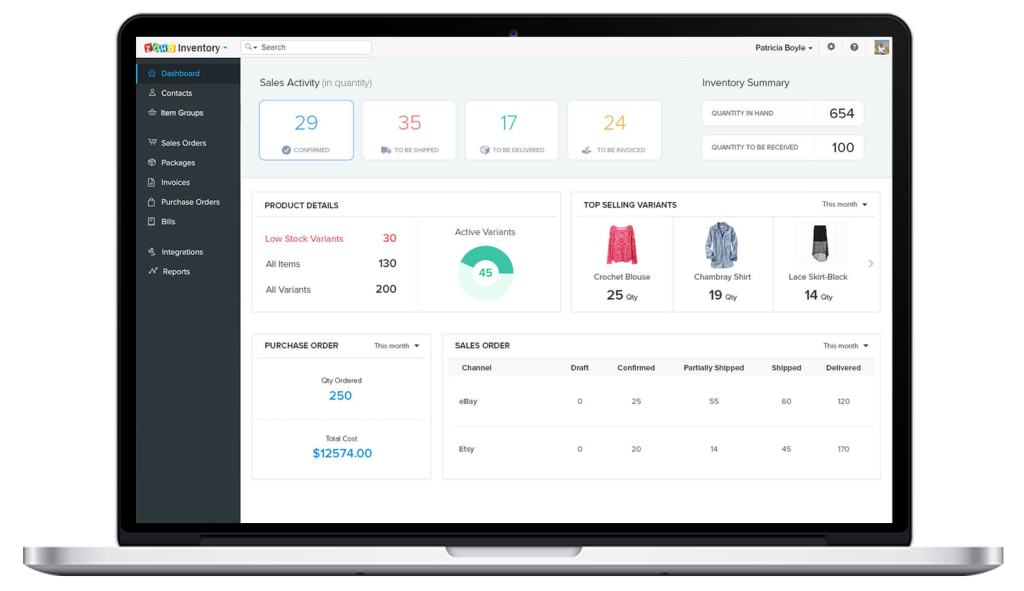
In practice, Zoho Inventory has delivered impressive results for many retailers. For example, a mid-sized fashion store in Singapore cut restocking time by 40% and improved order accuracy by 70% within six months of implementation.
Best for: Small retailers and online sellers who need affordable multi-channel inventory control
Pricing: Free plan for up to 50 orders per month, paid plans from $39 per month
4. Vend (by Lightspeed)
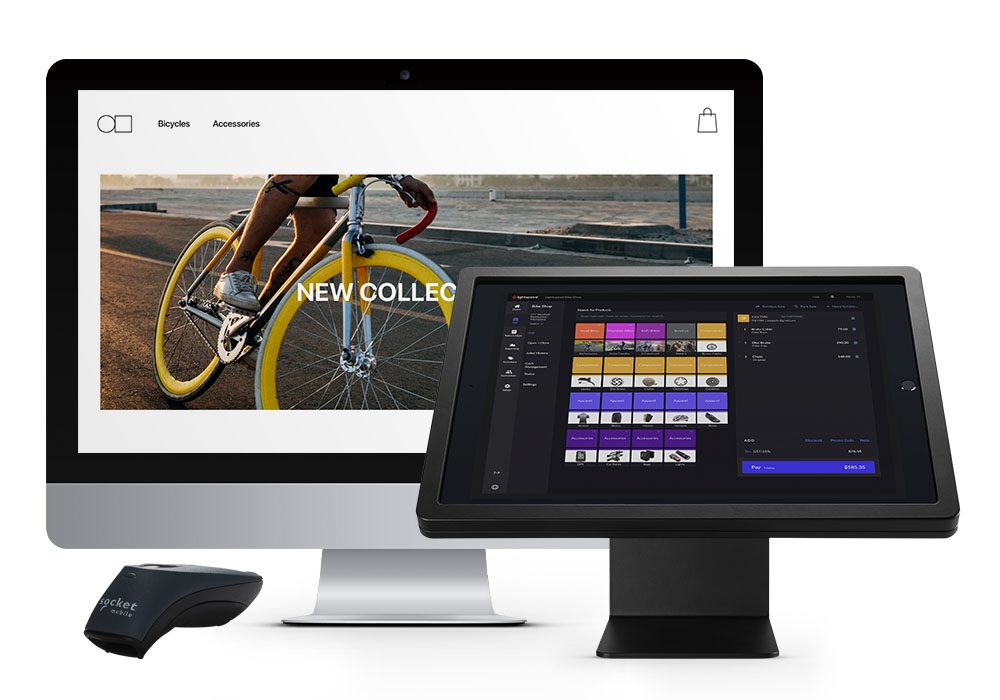
Vend stands out for its clean, intuitive interface and smooth user experience. It supports real time inventory updates, product categorization, and customizable reporting. Vend also integrates with Shopify and WooCommerce, making it suitable for stores with both online and physical locations. It is especially popular among boutique shops and specialty retailers.
Best for: Boutiques, niche retailers, and shops that prioritize ease of use
Pricing: From $69 per month
5. inFlow Inventory
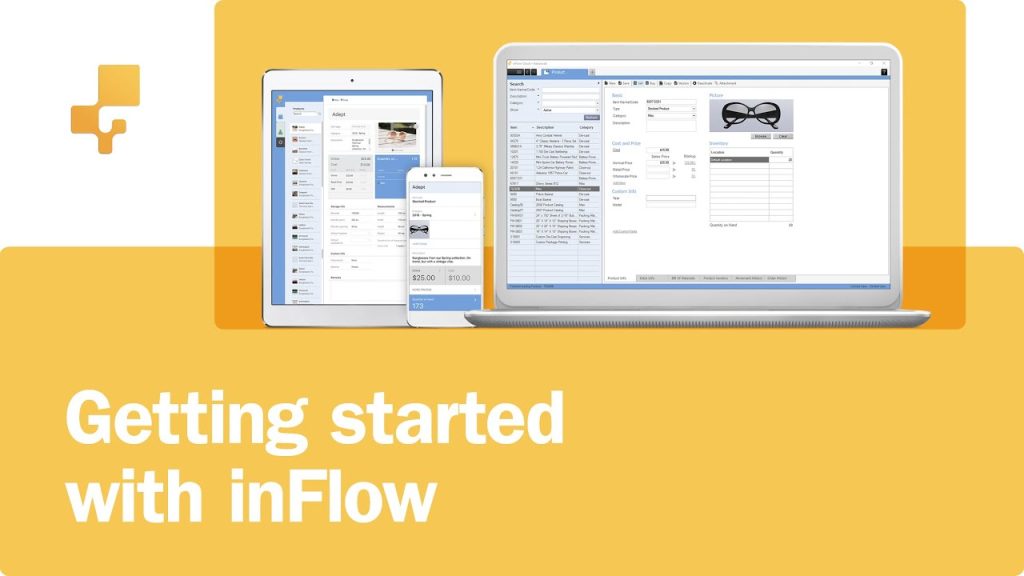
inFlow is designed for growing retailers who need strong inventory tracking and flexibility. It offers features such as customizable reports, batch and serial number tracking, and offline mode for areas with unreliable internet. The mobile app lets you scan barcodes, check stock levels, and create orders from anywhere.
Best for: Retailers that need offline functionality and advanced reporting tools
Pricing: Starts at $89 per month
6. Odoo Inventory

Odoo is an open source, fully customizable business management platform. Its inventory module integrates seamlessly with other Odoo apps like sales, accounting, and e-commerce. You can tailor workflows, create automated replenishment rules, and manage multi warehouse operations. Although it may require more setup than ready made solutions, it is extremely flexible and scalable.
Best for: Businesses that want a customizable and scalable system, from small shops to large enterprises
Pricing: Free community version, paid plans from $31.10 per user per month
7. Cin7
Cin7 is an enterprise level solution that combines inventory management, order fulfillment, point of sale, and warehouse management in one platform. It is highly suitable for retailers with complex operations, high order volumes, and multiple sales channels. Cin7 also includes built in EDI capabilities, making it ideal for suppliers and wholesalers.
Best for: Large retailers, wholesalers, and multi channel sellers
Pricing: From $325 per month
When choosing among these options, consider not only the monthly subscription cost but also the ease of integration with your current systems, the level of support offered, and whether the features align with your growth plans.
How Can You Choose the Right Inventory Software for Your Retail Business
Selecting the right inventory software for retail shop is not only about finding a system with impressive features. The best choice will fit your current operations, align with your long term goals, and adapt as your business grows. To make a confident decision, consider the following steps.
1. Define your business needs
Start by assessing your store’s daily operations. Determine how many products you manage, whether you sell through multiple channels, and how many team members will use the system. This will help you decide if you need basic stock tracking or advanced features such as demand forecasting and multi location support.
2. Set a realistic budget
Pricing varies widely among inventory software solutions. While it may be tempting to choose the cheapest option, remember to consider the total cost of ownership, including setup fees, training, hardware, and future upgrades.
3. Check integration capabilities
Your inventory software should work seamlessly with your existing tools, such as your point of sale system, e-commerce platform, and accounting software. Good integration will save you time and reduce errors caused by manual data entry.
4. Evaluate ease of use
A system packed with features will not help your business if your team finds it difficult to operate. Look for software with an intuitive interface and straightforward workflows to reduce the learning curve.
5. Take advantage of free trials or demos
Most reputable providers offer free trials or live demos. Use this time to test core functions, check compatibility with your devices, and see if the software truly meets your needs before committing to a paid plan.
6. Read reviews and case studies
User feedback and success stories from businesses similar to yours can provide valuable insight. Pay attention to comments about customer support, reliability, and real world performance.
7. Think about scalability
Choose a solution that can grow with your business. Even if you only need basic features now, it is wise to select software that can handle more products, more locations, or more sales channels in the future.
By following these steps, you will not only avoid costly mistakes but also ensure that your chosen inventory software becomes a powerful tool for improving efficiency and profitability.
What Practical Tips Can Help You Maximize the Benefits of Inventory Software
Implementing inventory software is only the first step. To truly unlock its potential and gain a competitive advantage, retailers should focus on refining their daily operations and leveraging every feature the software offers. Here are some practical tips to help you get the most out of your investment:
1. Keep Your Data Clean and Up to Date
Accurate data is the backbone of any inventory management system. Regularly audit your stock to ensure your digital records match the actual inventory in your store. Even the best software cannot provide accurate reports if the data entered is outdated or incorrect. Develop a schedule for regular stock counts and implement strict guidelines for updating inventory after every sale, return, or restock.
2. Use Detailed Product Categorization
Instead of lumping products into broad categories, break them down into specific groups. For example, instead of just “Clothing,” you could categorize by “Men’s Shirts,” “Women’s Dresses,” and “Children’s Jackets.” This allows for more precise tracking and reporting, which helps you identify top-performing items and slow-moving stock more effectively.
3. Leverage Reporting and Analytics Tools
Many retailers overlook the power of analytics within their inventory software. Use these reports to monitor sales trends, seasonal demand, and profit margins. For example, by identifying which products sell best during certain months, you can adjust purchasing strategies to avoid overstocking or running out of popular items.
4. Set Reorder Points and Alerts
Take advantage of automated alerts that notify you when stock levels are running low. This helps prevent missed sales opportunities due to stockouts. Similarly, use reorder points based on historical sales data rather than guesswork, ensuring you always have the right amount of stock on hand without tying up too much capital in inventory.
5. Train Your Staff Effectively
The best inventory software can still fail if your staff does not know how to use it correctly. Offer hands-on training sessions and create easy-to-follow guides for daily tasks like checking stock, updating quantities, and processing returns. When your team is confident in using the software, errors decrease, and efficiency improves.
By following these strategies, retail shop owners can turn inventory software from a simple tracking tool into a powerful business growth engine.
Conclusion
Choosing the right inventory software for your retail shop is not just about tracking stock. It is about transforming the way your business operates, improving decision making, and delivering a better experience for your customers. When you clearly understand your needs, compare features carefully, and follow a structured selection process, your inventory system can become one of your strongest growth drivers.
The best solutions in 2025 offer more than real time tracking. They help you forecast demand accurately, prevent costly stockouts, and free up your team to focus on sales and customer service. With the right implementation, your software will not just save time and reduce errors but will also give you the insights to make smarter purchasing and merchandising decisions.
If you are ready to take your retail operations to the next level, ONEXT DIGITAL can design and implement a tailored inventory management system that aligns perfectly with your business goals. Our expertise in building smart and user friendly retail solutions ensures that your store stays competitive, efficient, and prepared for future growth. Contact us today and let us help you turn inventory management into a powerful competitive advantage.
FAQs – Inventory Software for Retail Shops
1. How does inventory software reduce costs?
Automates stock tracking and reordering, reduces errors, and prevents overstocking.
2. Can it improve customer satisfaction?
Yes. Accurate stock and faster checkout enhance the shopping experience.
3. What are 2025 trends in inventory software?
AI demand forecasting, cloud-based multi-location management, and e-commerce integration.
4. How can AI help small retailers compete?
Optimizes stock, pricing, and demand predictions like large retailers.
5. How to measure ROI?
Track stock discrepancies, fulfillment speed, carrying costs, and sales growth.
6. Can it integrate with accounting/ERP?
Yes. Updates financial records automatically, reducing manual bookkeeping.