
 Services
 Solutions
 Main platform
 Technology
 White Label
  Offshore
 Hire developers



Have you ever faced the challenge of managing complex staff schedules in a busy hospital or clinic? Ensuring the right healthcare professionals are on duty 24/7, handling unexpected shift changes, and staying compliant with strict regulations is no easy task. When done manually, scheduling can become chaotic, error-prone, and exhausting for managers and staff alike.
That’s why specialized employee scheduling software for healthcare is becoming essential in healthcare. These digital solutions automate shift planning, improve communication, and help maintain compliance, all while saving time and reducing administrative workload.
In this article, we will explore the unique challenges of healthcare staff scheduling, the key benefits and must-have features of scheduling software, and highlight the top tools in 2025 to help you choose the best solution for your organization.
What is Employee Scheduling Software for Healthcare?
Employee scheduling software for healthcare is a specialized digital tool that helps medical organizations plan, assign, and manage staff shifts efficiently. Unlike generic scheduling tools, it is designed to address the unique needs of hospitals, clinics, and other healthcare facilities such as 24/7 operations, rotating shifts, and strict compliance with labor and healthcare regulations.
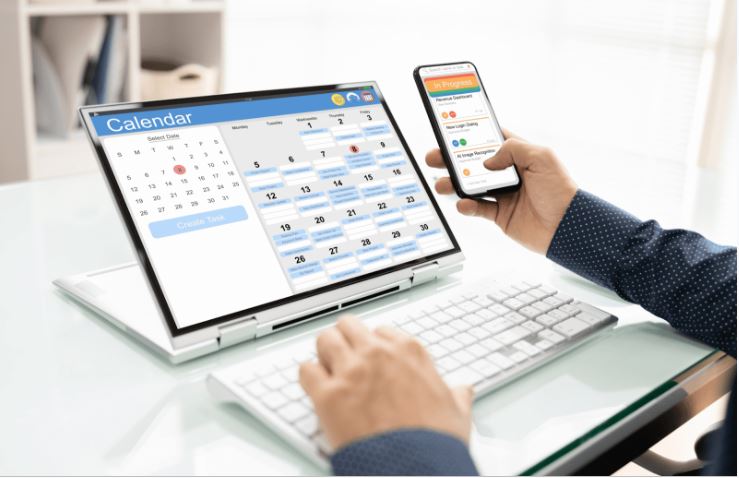
These platforms centralize all scheduling data in one place, allowing managers to see staffing gaps in real time, assign shifts instantly, and notify employees of changes through mobile or desktop apps. Many solutions also integrate with payroll, time tracking, and HR systems to streamline workforce management from end to end.
In short:
Employee scheduling software for healthcare ensures the right staff, in the right place, at the right time improving patient care while reducing administrative workload.
Why Healthcare Staff Scheduling is Challenging
Scheduling staff in healthcare is far more complex than in most industries. Medical facilities operate 24/7, require different types of specialists on each shift, and must comply with strict labor laws and healthcare regulations. These factors create unique challenges that manual methods often fail to handle efficiently.
Key challenges include:
1. 24/7 operations: Hospitals and clinics must ensure continuous coverage, including weekends, holidays, and night shifts.
2. Last-minute changes: Staff illness, emergencies, or sudden patient surges can disrupt schedules instantly.
3. Specialized roles: Certain shifts require specific skills, certifications, or experience levels (e.g., ICU nurses, anesthesiologists).
4. Regulatory compliance: Labor laws limit working hours and require adequate rest between shifts.
5. Staff burnout: Poor scheduling can lead to overwork, dissatisfaction, and higher turnover rates.
Without the right tools, these challenges can lead to staffing gaps, employee dissatisfaction, and even compromised patient care quality.
Key Benefits of Using Employee Scheduling Software in Healthcare
In a busy hospital or clinic, every shift counts. A single scheduling error such as missing a nurse for the ICU night shift can disrupt operations and put patient safety at risk. That’s why more healthcare organizations are moving away from spreadsheets and adopting dedicated scheduling software.
Here are the main benefits:
1. Significant time savings for managers
With automated shift assignments, reminders, and updates, department heads can cut scheduling time by up to 50%. This allows them to focus more on patient care strategies rather than administrative work.
2. Fewer errors and last-minute conflicts
Real-time schedule visibility ensures managers can spot coverage gaps instantly. The system also prevents double-booking and alerts you when staffing levels are below required thresholds.
3. Improved compliance with labor laws
Healthcare scheduling software can automatically track working hours, overtime limits, and mandatory rest periods, reducing the risk of legal violations and penalties.
4. Higher staff satisfaction and retention
Nurses, doctors, and support staff can view their schedules from a mobile app, request time off, or swap shifts without excessive paperwork boosting morale and reducing burnout.
5. Better patient care outcomes
When the right people are in the right place at the right time, patients receive faster attention and more consistent care (Agency for Healthcare Research and Quality – Patient Safety), which directly impacts satisfaction scores.
Must-Have Features in Healthcare Scheduling Software

Choosing the right scheduling tool is not just about automating shifts it’s about finding a solution built for the realities of healthcare. A good platform should address compliance, flexibility, and communication needs while being easy for staff to use.
Essential features include:
1. Automated shift scheduling
The core function: quickly generate shift rosters based on staff availability, qualifications, and workload rules. This eliminates the manual drag-and-drop chaos that often happens in spreadsheets.
2. Role-based assignments
Not every shift is the same. ICU shifts may require a critical care nurse, while surgery prep needs an anesthesiologist. The software should allow you to assign staff based on credentials and specialties.
3. Real-time updates & notifications
Emergencies happen a nurse calls in sick or patient volume spikes. Instant alerts via mobile apps or SMS ensure everyone stays informed and ready to respond.
4. Self-service portal for staff
Empower employees to view schedules, request time off, or swap shifts directly in the system. This reduces administrative burden and improves transparency.
5. Compliance tracking
Built-in labor law monitoring ensures you’re not accidentally scheduling overtime beyond legal limits or breaking mandatory rest period rules.
6. Integration with payroll & HR
Syncing schedules with payroll systems ensures accurate pay calculations and saves hours of reconciliation work at the end of each pay period.
7. Analytics & reporting
Reports on overtime, absenteeism, and coverage patterns help managers spot trends, plan better, and reduce staffing costs without compromising care.
Example: A mid-sized hospital that adopted a scheduling platform with these features reduced last-minute shift changes by 35% within the first quarter, while improving staff satisfaction scores in internal surveys.
In short, must-have features in healthcare scheduling software go beyond convenience they ensure legal compliance, operational stability, and better patient outcomes.
Top Employee Scheduling Software for Healthcare in 2025
The healthcare scheduling software market has grown rapidly, offering tools that combine automation, compliance tracking, and staff engagement features. Below are some of the top solutions for 2025, based on usability, feature set, and industry relevance.
| Software | Best For | Key Features | Pricing Model |
|---|---|---|---|
| Deputy | Large hospitals & multi-location facilities | Automated rostering, compliance tracking, time & attendance integration | Subscription per user/month |
| When I Work | Clinics & small to mid-sized teams | Shift swapping, mobile access, payroll integration | Subscription per user/month |
| Shiftboard | 24/7 facilities with complex schedules | Advanced compliance, demand-based scheduling, analytics | Custom pricing |
| Connecteam | Mobile-first healthcare teams | Mobile scheduling, communication tools, task management | Subscription per user/month |
| Kronos Workforce Central | Enterprise healthcare organizations | Full HR suite, advanced reporting, labor law compliance | Enterprise licensing |
Highlights:
1. Deputy: Known for its intuitive interface and robust compliance features, ideal for hospitals with multiple departments.
2. When I Work: Popular among small clinics for its affordability and ease of use.
3. Shiftboard: Perfect for facilities that operate 24/7 with high scheduling complexity.
4. Connecteam: Great for mobile-first teams that need scheduling and communication in one app.
5. Kronos Workforce Central: An enterprise-grade solution for large healthcare networks with deep HR integration needs.
Tip: When comparing tools, consider not just price but also scalability, integration options, and ease of adoption by staff.
In short, the best healthcare scheduling software in 2025 combines automation, compliance, and communication features tailored to the unique needs of medical facilities.
How to Choose the Right Healthcare Scheduling Software
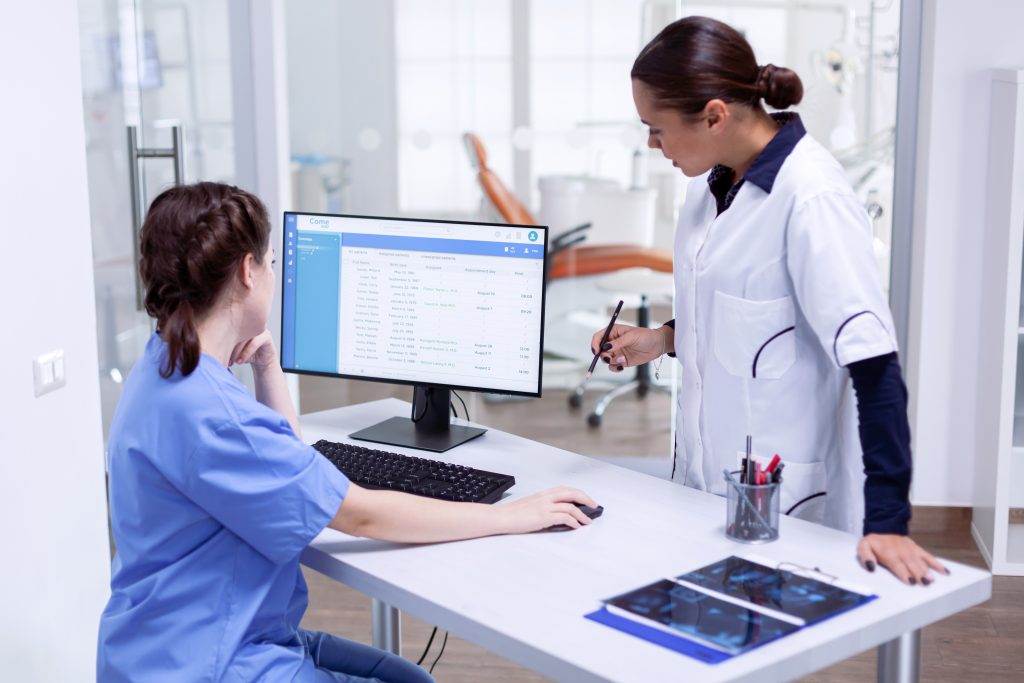
Selecting the right scheduling platform for a healthcare facility requires more than just looking at price tags. You need a tool that fits your operational needs, integrates with your existing systems, and is easy for your staff to adopt.
Step-by-step guide to choosing the right software:
1. Assess your facility’s needs
Identify pain points in your current scheduling process e.g., too many last-minute changes, compliance violations, or staff dissatisfaction.
2. Define must-have features
Use the “must-have features” checklist from Section 4 to determine your non-negotiables, such as compliance tracking, mobile access, or payroll integration.
3. Consider scalability
Choose a platform that can grow with your facility, whether you’re adding new departments or opening additional locations.
4. Test user experience
Request a demo or trial period. Involve both managers and frontline staff to ensure the interface is intuitive for everyone.
5. Check integration capabilities
Make sure the software works seamlessly with your existing HR, payroll, and time-tracking systems to avoid data silos.
6. Evaluate support & training
Good vendor support and onboarding materials will speed up adoption and reduce the learning curve.
7. Compare pricing models
Look beyond the monthly fee factor in setup costs, add-on features, and long-term contract commitments.
Partnering with a trusted healthcare software provider ensures your platform meets compliance requirements, scales with your growth, and integrates smoothly with your current systems.
Quick Checklist:
- Meets healthcare compliance requirements
- Mobile-friendly for staff on the go
- Integrates with payroll & HR tools
- Easy to scale across multiple locations
- Backed by strong vendor support
Pro tip: The best choice is not always the cheapest it’s the one that saves you the most time, reduces errors, and keeps your staff and patients happy.
In short, choosing the right healthcare scheduling software is about aligning features, scalability, and usability with the unique demands of your medical facility.
Conclusion: Streamlining Healthcare Scheduling in 2025
In today’s fast-paced healthcare environment, efficient and compliant staff scheduling is critical, not optional. Mistakes or delays in scheduling can directly affect patient care quality and staff morale. By leveraging advanced AI-powered scheduling software, your facility can eliminate costly errors, reduce administrative workload, and ensure the right professionals are always on duty.
Choosing the right platform means empowering your team with tools that adapt to your unique challenges, support regulatory compliance, and scale seamlessly as you grow. Don’t let outdated scheduling methods hold your facility back.
Take the next step toward smarter workforce management. Explore solutions like Onext’s healthcare scheduling platform to experience automation, real-time communication, and compliance tracking, all designed to help your organization thrive in 2025 and beyond.
FAQs – Frequently Asked Questions
1. Why is healthcare staff scheduling challenging?
Because of 24/7 operations, specialized roles, last-minute changes, and strict labor regulations.
2. How does scheduling software improve staff satisfaction?
It enables easy schedule access, time-off requests, and shift swaps via mobile apps, reducing stress and burnout.
3. Does scheduling software help with labor law compliance?
Yes, it tracks working hours, overtime, and mandatory rest to avoid violations.
4. What features are essential in healthcare scheduling software?
Automated scheduling, role-based assignments, real-time notifications, self-service portals, compliance tracking, and payroll/HR integration.
5. Can small clinics use these tools effectively?
Yes, many solutions scale from small clinics to large hospitals.
6. How to choose the right scheduling software?
Assess your needs, define key features, check scalability, test usability, verify integrations, and evaluate support.