
 Services
 Solutions
 Main platform
 Technology
 White Label
  Offshore
 Hire developers



Website migration has always been a significant challenge for SEO professionals and digital marketers. The migration process not only impacts the structure and design of the website but can also result in the loss of SEO achievements accumulated over time. However, by 2025, as AI technology continues to evolve and significantly influence how search engines evaluate content, the challenges associated with migrating websites will become even more complex.
It’s no longer just about ranking in traditional search results; appearing in AI-driven answers, smart snippets, and search engine recommendations is becoming more important than ever. In this new era, SEO is not just about maintaining rankings but also about safeguarding visibility in AI search results. This requires a completely new approach to website migration.
So, how can you ensure that your website not only maintains traditional SEO but also optimizes for AI search? Let’s explore the crucial steps and effective strategies to successfully migrate your website in 2025, protect SEO, and increase your presence in AI search.
1. Introduction to Website Migration and SEO in the Age of AI
Migrating a website in 2025 is no longer just about changing domains or URL structures; it’s a strategy to protect SEO and optimize visibility on AI-powered search engines. With AI dominating how search engines evaluate and rank websites, migrating a site becomes more complex because it’s not just about preserving SEO rankings; it’s also about ensuring that your content is quoted and appears correctly in AI search results.
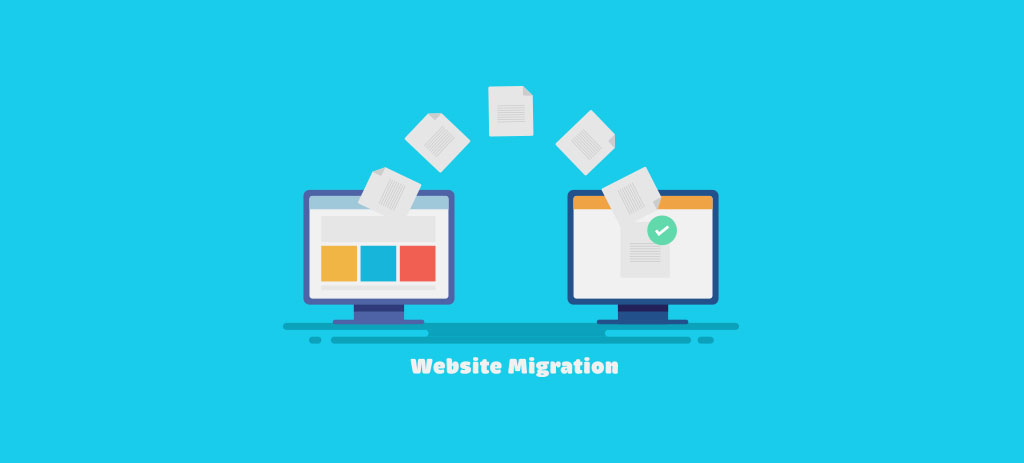
Migrating a website in the age of AI requires not only careful planning but also a specific strategy to maintain traditional SEO factors while optimizing for AI search. Failing to plan appropriately can result in the loss of both SEO value and AI search visibility.
2. Types of Website Migrations and Their Impact on SEO
Not all website migrations are the same. Each type of migration has its own set of requirements and challenges. Below are some common types of website migrations that marketers and SEO experts need to pay attention to:
2.1 Changing Domain or Brand
Changing the domain may be part of a rebranding or business expansion strategy. However, this can significantly impact SEO because you must transfer all SEO signals and backlinks from the old domain to the new one without losing the SEO value that has been built. If done improperly, this change can cause a loss of important signals from the old domain.
2.2 Switching from HTTP to HTTPS
HTTPS has become a critical factor in modern SEO. Google not only considers HTTPS as an important ranking signal but also ensures security for users. Switching from HTTP to HTTPS is a mandatory SEO requirement, but you must implement this change carefully to avoid losing search rankings.
2.3 Changing URL Structure
Changing the URL structure can improve website navigation and structure, but if done improperly, it will negatively affect the SEO power of your links. Common changes like removing the “.html” suffix or moving from a subdomain (m.example.com) to a subfolder (example.com/m) need to be planned and implemented correctly.
2.4 Migrating CMS or Website Platform
When moving to a different Content Management System (CMS), such as migrating from WordPress to Shopify, you will face changes in URL structure and page load speed. This can affect SEO performance and website visibility on search engines, so it’s crucial to ensure that this migration does not result in the loss of important SEO signals.
2.5 International and Multilingual Migration
For businesses with international operations, switching from ccTLDs (country-code top-level domains) to subfolders (e.g., example.com/uk) can help optimize global SEO strategies. However, this process requires careful preparation to protect the country-specific and language signals for each market.
2.6 Changes in Hosting and Page Load Speed
Changing hosting, such as moving to a new server or hosting provider, can directly affect page load speed and how search engine bots crawl the site. If not optimized correctly, the website may experience speed issues or downtime, which will negatively affect user experience and SEO.
3. The Importance of AI in SEO Website Migration
With the rapid development of AI in search, the way search engines evaluate and quote content has changed significantly. SEO in 2025 is not only about maintaining rankings in search results but also about ensuring visibility in AI answers. This requires a new website migration strategy, not only to preserve traditional SEO but also to optimize for AI search.
3.1 AI Search Is Not Just About Ranking, But About Quoting Content
AI search engines, like Google AI Overviews and Bing Copilot, do not just rank web pages based on keywords; they aggregate and quote content from multiple sources. This means that if your content is not highly rated by AI, you may lose visibility in AI-generated results, even if you maintain a strong position on traditional SERPs.
3.2 How AI Evaluates Content
AI evaluates content based on quality, trustworthiness, recency, and data structure. Factors such as schema and content clarity are more important than ever. To ensure that your website is rated highly by AI, it is crucial to maintain the consistency and accuracy of your schema data.
3.3 The Risk of Not Optimizing for AI
Failure to optimize your website for AI search can result in missing opportunities to appear in AI-generated answers, leading to reduced traffic and user engagement. To protect your presence in AI search, focus on optimizing page load speed, maintaining a clear content structure, and keeping your schema updated.
4. Effective Website Migration Planning
Careful website migration planning is essential not only for protecting SEO but also for optimizing your site’s presence in AI search. A migration strategy must include necessary preparation steps to ensure that the website can transition smoothly while maintaining all key elements. Below are the detailed steps you need to take to build an effective website migration plan:
4.1 Evaluate Content and Map URLs
Evaluating all existing pages on the website and mapping URLs is a critical first step in the migration process. This ensures that no important URL is overlooked or negatively impacted after migration.
- Create URL Map: The URL map is a detailed list of all current website URLs. It will help you track all pages, meta tags (title, description), H1 tags, canonical tags, and schema data. Ensure that all important URLs, especially high-traffic pages or those with significant SEO value, are protected during migration.
- Evaluate Meta Tags, Canonical Tags, and Schema: Checking meta tags (title, description), H1 tags, canonical tags, and schema data is crucial to maintaining SEO. Improper migration can result in losing important SEO signals. Ensure canonical tags are correctly set up to avoid duplicate content issues and indexing errors.
- Use Website Crawling Tools: To ensure no important pages are missed, use tools like Screaming Frog or OnCrawl to crawl the entire website. These tools will help you identify broken URLs, check meta tags and canonical tags, and ensure all links are functioning properly before migration. Furthermore, these tools help you create a detailed URL map to manage redirects post-migration.
- Redirect Old URLs: After evaluating and mapping URLs, identify which URLs need to be redirected, and implement 301 redirects to move old URLs to new ones. This ensures that SEO signals and visibility for important pages are preserved after the migration.
4.2 Set SEO and AI Benchmark Metrics
Setting benchmark metrics before the migration is essential. These benchmarks will help you monitor changes in traditional SEO and AI search visibility after the migration, allowing you to assess whether your website is maintaining its performance.
- Track Traditional SEO Metrics: Before migrating, record key SEO metrics like organic traffic, keyword rankings, backlink count, conversion rate, and AI citation metrics (mentions in AI search). This will give you a clear picture of the current effectiveness of your SEO strategy and provide a baseline for comparison after migration.
- Identify KPIs (Key Performance Indicators): Set KPIs to monitor the success of the website migration. These KPIs could include:
1. Organic Traffic: The goal may be to maintain or increase traffic compared to pre-migration levels.
2. AI Search Presence: Track the presence of your website in AI-generated answers, search engine recommendations, and AI summaries
3. Backlink Metrics: Ensure no important backlinks are lost during the migration.
4. Indexation: Verify that all pages are correctly indexed after migration.
- Monitor AI Search Visibility: To optimize for AI search, measure your website’s presence in AI-driven search results. Tools like SearchIQ can help track the appearance of your website content in AI-generated answers and AI summaries.
4.3 Check Schema and Page Load Speed
A critical part of website migration is protecting and optimizing schema data and page load speed. Both of these factors directly impact SEO and AI search visibility.
- Check and Protect Schema Data: Schema is the data structure search engines use to better understand your website’s content. Ensure schema data is preserved during migration. If there are changes to the CMS or website structure, you may need to update the schema to meet AI and search engine requirements. Types of schema like Product, Article, and FAQPage are essential, especially for AI search.
- Optimize Page Load Speed: Page load speed is crucial not only for SEO but also for AI-driven search. AI search engines favor fast-loading websites that provide a smooth user experience. Before migrating, make sure the website’s page load speed is optimized. Tools like Google PageSpeed Insights or GTmetrix can help you measure and optimize website speed. Additionally, ensure mobile compatibility, as the majority of users now access websites via mobile devices.
5. Website Migration Process: Execution and Monitoring
Once you’ve prepared thoroughly, the next step is to execute and carefully monitor the website migration to ensure there are no issues.
5.1 Steps to Take on Migration Day
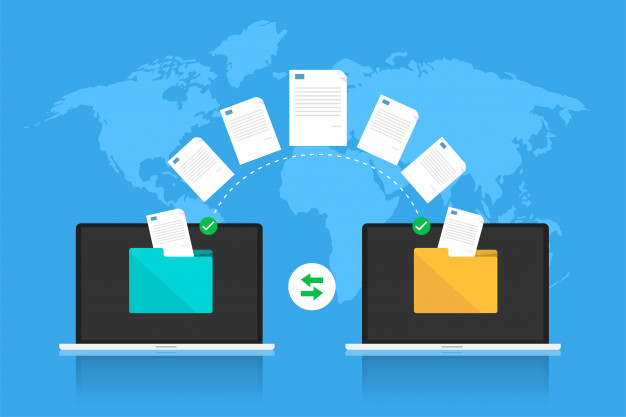
- Activate and Check 301 Redirects: Upon migration, the first thing to do is activate all 301 redirects from the old URLs to the new ones. This helps protect the SEO equity of important pages. Ensure that all high-traffic or SEO-valuable URLs are correctly redirected.
- Update Internal Links and Canonical Tags: Ensure all internal links within the website are updated to reflect the new URL structure. This helps avoid 404 errors and ensures that internal links continue to help maintain SEO strength. Also, review canonical tags to prevent duplicate content issues.
- Update XML Sitemap and Notify Domain Change: After updating links and redirects, update the XML sitemap and submit the new sitemap to Google Search Console and Bing Webmaster Tools. If there’s a domain change, use the Google “Change of Address” tool to notify Google of the domain shift, allowing for quick updates in search engine records.
5.2 Monitor Search Engine Bot Activity
- Track Bot Crawling: Use tools like OnCrawl to monitor the crawling process and ensure bots are correctly crawling the new URLs. If any page isn’t being crawled properly, intervene to resolve the issue.
- Check Crawl Errors and Error Reports: After migration, monitor and check crawl errors in Google Search Console to detect potential issues early. Errors like 404 errors, redirect loops, or issues with redirects will impact SEO and user experience.
6. Monitoring and Optimizing SEO and AI Search After Migration
After the website has been successfully migrated, continuous monitoring and optimization are critical to ensure that your website not only maintains its SEO performance but also optimizes its presence in AI search. This monitoring process helps detect and resolve emerging issues promptly.
6.1 Monitor Traditional SEO
Immediately after migration, the first thing to monitor is traditional SEO factors to ensure important aspects such as 301 redirects, indexation, traffic, and rankings are not impacted.
- 301 Redirects: Double-check that all 301 redirects are implemented correctly. Every old URL should redirect to the corresponding new URL. This helps protect SEO signals and prevents losing link equity.
- Indexation: Check that pages are being indexed correctly by Google and other search engines. If issues arise with pages not being indexed, review and adjust elements such as robots.txt or meta tags.
- Traffic and Rankings: Monitor the changes in traffic and keyword rankings. Use tools like Google Analytics and Google Search Console to evaluate these changes. If there’s a sudden drop in traffic or rankings, investigate the potential causes.
- Optimize Affected Pages: If you find pages with a drop in traffic or rankings, improve their content, optimize keywords, and update internal links to restore SEO performance.
6.2 Optimize for AI Search
In addition to traditional SEO, optimizing for AI-driven search is crucial since the presence of your website in AI-generated answers is becoming more important. Optimizing for AI ensures that your website continues to rank well in traditional search results while also appearing in AI-powered answers and summaries.
- Adjust Content and Schema: To optimize for AI search, review and adjust your content structure, ensuring that schemas like FAQPage, Product, Article, etc., are used correctly. AI search engines highly value structured data, making it easier for AI to accurately quote your content in search results.
- Monitor AI-Generated Answers and Summaries: Track whether your content is being quoted in AI-generated answers, FAQs, or AI suggestions. If not, you may need to improve your content structure and schema to make it easier for AI to quote your website.
- Update Schema as Needed: Schema requirements may evolve over time, especially with the rise of AI. Keep schema data up to date and optimize it to meet new search engine and AI-driven search requirements.
Conclusion
Migrating a website can be a daunting challenge, but with proper preparation and the right strategy, you can successfully protect and optimize SEO while increasing your presence in AI-driven search. By paying attention to each step of the redirection process, safeguarding schema data, and maintaining page load speed, you can ensure your website not only maintains its ranking but thrives in the age of AI search.
If you’re looking for a solution to optimize your website migration effectively and sustainably, explore ONEXT DIGITAL. With powerful tools and a team of experienced experts, we’re ready to support you in improving SEO, driving growth, and safeguarding your website throughout the migration process. Contact us now for detailed consultation!
FAQs Related to Website Migration:
1. Does website migration affect SEO?
Yes, if not done correctly, migration can result in SEO ranking loss. Ensure correct 301 redirects, schema data protection, and proper meta tags.
2. How to protect SEO when changing domains?
Use 301 redirects for all old URLs to new ones and notify domain changes via Google Search Console.
3. Why is page load speed important after migration?
Page speed directly impacts SEO and AI search visibility. Ensure fast loading to maintain rankings.
4. Which tools help track changes after migration?
Google Analytics, Google Search Console, and tools like Ahrefs or SEMrush help track traffic, rankings, and AI search visibility.
5. Does migrating a website result in lost traffic?
Possibly. If redirects are not set correctly or URL structure changes are not optimized, traffic could decrease. Ensure accurate 301 redirects.
6. How to optimize for AI search after migration?
Update schema and structure content clearly for AI to easily quote your content.
7. How long does it take for traffic to recover after migration?
It may take from a few weeks to a few months, depending on the changes made. Regular monitoring helps speed up recovery.
8. Do I need to update internal links after migration?
Yes, you must update internal links to reflect the new URL structure, avoid 404 errors, and ensure SEO is strong.