
 Services
 Solutions
 Main platform
 Technology
 White Label
  Offshore
 Hire developers



As remote work and outsourcing continue to grow in popularity, managing projects across distributed teams can become a significant challenge. To ensure timely delivery and high-quality results, companies need efficient solutions to streamline their workflows. Project management software for outsourcing is the key tool that can help optimize collaboration, track project progress in real-time, and enhance communication among remote teams.
In this article, we will explore why project management software is essential for outsourcing and highlight the best tools available today.
What Is a Project Management Software?
Project management systems are tools that help individuals and teams plan, organize, and manage a project from start to finish. They provide a centralized platform for project managers to track progress, allocate resources, collaborate with team members, and more.
These systems have become increasingly popular as projects grow in scale and complexity, requiring more efficient management. In fact, 91% of project management professionals report that their organizations face project management challenges. That’s why using project management software is no longer optional—it’s essential.
Why Do You Need Project Management Software for Outsourcing
1. Challenges When Managing Outsourced Teams
Outsourcing offers numerous advantages, such as cost savings and access to global talent, but it also comes with unique challenges. Here are the key obstacles businesses face when managing outsourced teams:
- Communication Gaps:
With teams spread across different time zones and cultures, communication can easily break down. Delayed responses or miscommunication can hinder project progress and lead to frustration on both sides.
- Lack of Visibility and Transparency:
Without a centralized system, tracking the status of tasks and understanding how the project is progressing becomes a struggle. This lack of visibility can result in missed deadlines and misalignment between the client’s expectations and the actual work delivered.
- Task Management and Accountability:
Assigning tasks and tracking their completion can be complex, especially when dealing with multiple team members working remotely. With no clear tracking system, it’s easy for tasks to fall through the cracks, leading to confusion and unproductive work.
- Quality Control:
Ensuring consistent quality in outsourced work is often difficult. When different team members are responsible for various aspects of the project, it can be challenging to maintain a unified standard of quality across all deliverables.
2. The Role of Project Management Software in Outsourcing
This is where project management software plays a crucial role. By providing a centralized platform for collaboration, tracking, and communication, these tools can effectively address the challenges faced when managing outsourced teams. Here’s how:
- Streamlined Communication:
Project management tools integrate communication features such as messaging, video calls, and notifications, ensuring smooth and real-time communication between all team members, regardless of location.
- Enhanced Project Transparency:
With features like task assignment, progress tracking, and detailed reports, project management software allows both managers and team members to monitor progress, ensuring alignment with the project’s goals and timelines.
- Clear Task Allocation and Accountability:
These tools make it easy to assign specific tasks to team members with clear deadlines and priorities. This fosters accountability and helps keep everyone on track to meet project milestones.
- Improved Quality Control:
Through collaboration tools and file-sharing capabilities, managers can easily review work at each stage, ensuring that all deliverables meet the desired quality standards before final approval.
Key Features to Look for in Project Management Software for Outsourcing
When selecting project management software for your outsourcing needs, it’s essential to choose a tool that includes key features designed to enhance collaboration, productivity, and transparency. Below are the most important features to look for:
1. Real-Time Collaboration
Effective communication is crucial when managing outsourced teams. Look for software that allows real-time collaboration, enabling team members to work together seamlessly, even if they are in different time zones. Real-time chat, video conferencing, and instant updates on project status help ensure everyone is on the same page, leading to quicker decision-making and reduced miscommunication.
2. Time Tracking
Outsourcing projects often involve working with teams in different time zones, making it difficult to track how time is spent on each task. Time tracking features in project management software help you monitor the time each team member spends on specific tasks, providing valuable insights into productivity and project timelines. It also helps with accurate billing for client projects and ensures that deadlines are met without overworking your team.
3. File Sharing
With outsourcing, sharing documents and files efficiently can become a challenge. Look for software with file sharing capabilities that allow team members to upload, share, and collaborate on documents in real-time. Centralized file storage not only streamlines workflows but also ensures that all team members have access to the most up-to-date resources, reducing the risk of working with outdated information.
4. Task Assignments
One of the most important features of project management software is the ability to assign tasks clearly and track their progress. Whether you’re managing a large outsourced team or a smaller one, assigning tasks with deadlines, priorities, and specific responsibilities ensures accountability. This feature helps eliminate confusion, so everyone knows exactly what they need to do and when to do it.
5. Integration with Other Tools (Slack, Google Drive, etc.)
Outsourced teams often rely on a variety of external tools for communication, file sharing, and collaboration. The ability to integrate your project management software with tools like Slack, Google Drive, Dropbox, and others is essential. This feature allows your team to work within their preferred platforms while ensuring everything is synced and easily accessible in your project management system. It enhances efficiency and reduces the need to switch between multiple tools.
Top Project Management Tools for Outsourcing in 2025
Choosing the right project management software is crucial for successful outsourcing. With so many options available, it can be difficult to find the best fit for your team’s needs. Below are the top project management tools for outsourcing in 2025, each offering unique features designed to streamline workflows, enhance collaboration, and optimize productivity.
1. Trello – Best for Simplicity

Trello is a popular project management tool recognized for its simplicity and intuitive design. It utilizes a Kanban-style board, making it easy for teams to visualize tasks and workflows. Trello is particularly favored by small teams and startups because of its user-friendly interface and customizable features.
Pros:
- Ease of Use: Trello’s drag-and-drop functionality allows users to move tasks, cards, and lists with minimal effort. This simplicity makes it accessible even for non-technical users.
- Free Plan Available: Trello offers a free version, which is perfect for smaller teams or startups with basic project management needs.
- Customizable Boards: Users can create custom boards, lists, and cards tailored to their unique workflows. This flexibility allows for easy organization and tracking of progress across different projects.
Cons:
- Limited Features in Free Plan: While Trello’s free plan is sufficient for basic use, it lacks many advanced features available in the paid versions. For example, automation and integrations are restricted in the free tier.
- Scalability Issues for Larger Teams: As teams grow and projects become more complex, Trello’s capabilities can fall short. Its straightforward design may not be robust enough for larger teams or intricate workflows that require detailed project tracking and reporting.
Pricing:
- Free Plan: Available for basic use with limited features.
- Paid Plans: Starting at $5 per user per month, these plans unlock additional features such as automation, integrations, and advanced reporting. For teams with more advanced needs, the Business Class and Enterprise plans offer more control and customization.
Customization:
Trello allows users to personalize boards, cards, and lists to match their workflows. However, while customization is easy and flexible, it may not be suitable for organizations handling complex projects or workflows that require more advanced features, such as resource management, timeline tracking, or team collaboration across multiple departments.
2. Asana – Best for Mid-Sized Remote Teams
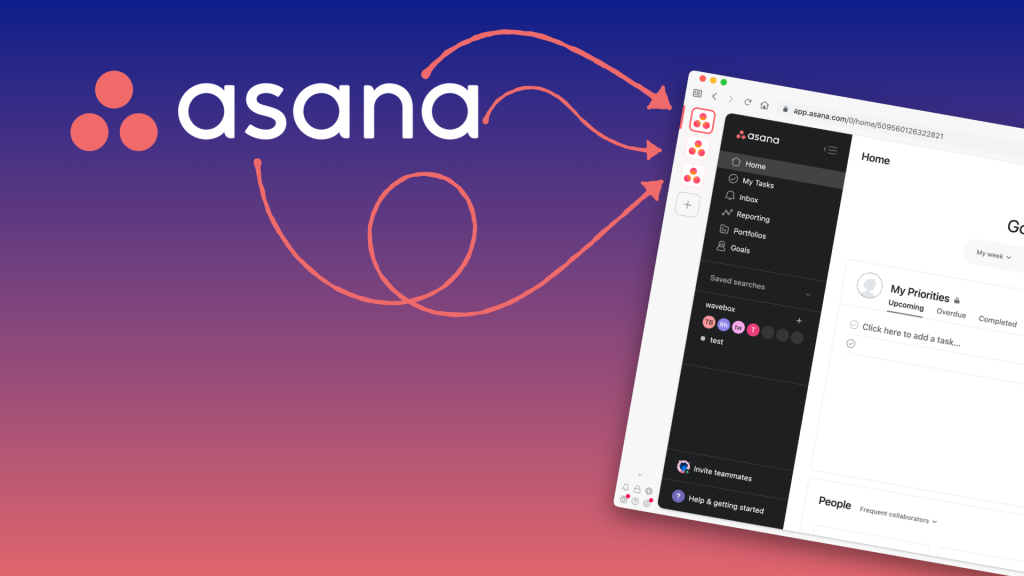
Asana is a robust project management tool designed to cater to remote teams of all sizes. With its versatile task management features and seamless collaboration capabilities, it is well-suited for teams looking to streamline their workflows and stay organized.
Pros:
Task Tracking: Asana helps teams efficiently track tasks, set deadlines, assign responsibilities, and monitor progress in real time.
Ideal for Remote Teams: With real-time updates and integrations with communication platforms like Slack, Asana fosters smooth communication and collaboration, making it a perfect choice for remote teams.
Visual Project Views: Offers multiple project views, including list, board, and timeline views, which provide flexibility in how tasks and projects are visualized and managed.
Cons:
Can Be Overwhelming for Smaller Teams: With its abundance of features, Asana can feel overwhelming for smaller teams that only need basic task management functionalities.
Interface May Be Less Intuitive: Some users find Asana’s interface to be more complex compared to other tools, which can lead to a steeper learning curve.
Pricing:
Free Plan: Available for small teams or those who only need basic functionality, making it accessible for startups or teams with minimal project management needs.
Premium Plans: Starting at $10.99 per user per month, offering more advanced features such as timeline views, task dependencies, and additional integrations to enhance project tracking and team collaboration.
Customization:
Asana is highly customizable, with features like templates, task dependencies, and various project views. However, for teams with more complex workflows, setting up these advanced features can require some initial configuration and time investment.
3. ClickUp – All-in-One Solution
ClickUp is a comprehensive all-in-one project management platform designed to streamline your team’s workflows by offering a wide range of features that cover task management, goal setting, document sharing, time tracking, and much more. With its robust capabilities, ClickUp allows teams of all sizes to stay organized and efficient while working on complex projects.
Pros:
- Highly Customizable: ClickUp stands out for its extensive customization options, allowing you to modify workflows, statuses, and views. This flexibility enables you to tailor the platform to your team’s unique needs and business processes.
- Comprehensive: ClickUp is an all-in-one solution that combines various features like task management, document collaboration, time tracking, and even goal tracking. Having all these tools in one platform makes it easier for teams to work collaboratively without needing to rely on multiple apps.
- Multiple Views: ClickUp offers several viewing options such as List View, Board View, and Gantt Charts. This diversity in views helps teams visualize tasks in the most effective way, ensuring that everyone is aligned and tracking progress efficiently.
Cons:
- Steep Learning Curve: Due to its vast range of features, new users might find the interface overwhelming. The abundance of options and customization can require time and effort to master, especially for those who are not familiar with project management tools.
- Performance Issues for Large Teams: While ClickUp is great for small to mid-sized teams, some users report that performance can slow down when managing very large teams or large-scale projects. This could impact the platform’s responsiveness and user experience.
Pricing:
ClickUp offers a Free Plan for basic task management features, which is perfect for small teams or individuals just starting out. However, if you need more advanced features such as integrations, reporting tools, and enhanced customization options, you can opt for their paid plans, which start at $5 per user per month.
Customization:
One of ClickUp’s key strengths is its high level of customization. The platform allows you to adjust workflows, create custom task statuses, personalize notifications, and design dashboards that fit your team’s specific needs. This ensures that ClickUp can scale with your business, regardless of its complexity or size. You can even create custom templates and automate recurring tasks, making it a powerful tool for managing repetitive workflows.
4. Jira – Best for Software Development Outsourcing
Jira is a powerful and widely-used project management tool, specifically built for software development teams and IT outsourcing projects. Developed by Atlassian, it’s designed to support Agile methodologies, making it a go-to choice for teams practicing Scrum, Kanban, or other iterative workflows.
Pros:
- Ideal for Agile and Scrum Teams: Jira offers robust support for Agile frameworks, including sprint planning, backlog prioritization, and Scrum boards. This makes it easy for development teams to stay focused and deliver in iterations.
- Robust Issue Tracking: Jira is best known for its powerful issue tracking system. Teams can efficiently log, assign, and track bugs, tasks, user stories, and epics throughout the development lifecycle.
- Advanced Reporting and Analytics: With features like burndown charts, velocity reports, and cumulative flow diagrams, Jira provides deep insights into team performance and project progress.
Cons:
- Steep Learning Curve: Jira’s rich functionality can be overwhelming for new users, especially those unfamiliar with Agile practices or technical workflows.
- Less User-Friendly for Non-Technical Teams: While Jira excels in development environments, it may not be the best fit for teams in marketing, design, or operations due to its technical orientation and complex UI.
Pricing:
Jira offers a Free Plan for small teams of up to 10 users, which includes basic Agile boards and issue tracking. For growing teams or more advanced functionality (like automation, advanced permissions, and project roles), paid plans start at $7.75/user/month.
Customization:
Jira is highly customizable, especially for software teams. You can design custom workflows, define unique issue types (like bugs, tasks, or stories), and configure role-based permissions. Jira also supports integration with tools like Confluence, Bitbucket, and hundreds of third-party apps through its extensive marketplace—making it a scalable solution for complex development pipelines.
5. Monday.com – Best for Visual Project Planning
Monday.com is known for its highly visual and intuitive interface, making it an excellent choice for teams that prefer visual project planning and tracking.
Pros:
- Highly visual interface: Great for teams that need a visual overview of projects and tasks.
- Customizable workflows: Users can create workflows tailored to their needs.
- Collaboration features: Includes features for real-time communication, file sharing, and updates.
Cons:
- Pricey for smaller teams or startups.
- Can become cumbersome for large projects with many tasks.
Pricing:
Paid plans start at $10/user/month, with a free trial available.
Customization:
Monday.com offers highly customizable boards, workflows, and project views, allowing you to adapt the tool to your team’s unique needs.
How to Choose the Right Tool for Your Outsourced Team
Selecting the right project management software for your outsourced team is essential for ensuring smooth collaboration, tracking progress, and meeting deadlines. With so many tools available, it’s important to consider various factors before making a decision. Here are key criteria to help you choose the best tool for your team:
1. Based on Team Size
The size of your outsourced team plays a significant role in selecting the right project management software. Larger teams require more advanced tools with features like task dependencies, advanced reporting, and user permissions.
• Small Teams: For small, agile teams, simpler tools like Trello or Asana may be ideal due to their ease of use and simplicity.
• Large Teams: For larger teams working on complex projects, tools like ClickUp or Monday.com may be a better fit, offering advanced features such as customizable workflows, time tracking, and integrations.
2. Type of Project (IT, Marketing, Design, etc.)
Different types of projects require different project management tools. The nature of your outsourced work (whether IT, marketing, design, or other) should heavily influence your choice of software.
• IT Projects: If you’re managing software development or IT outsourcing, tools like Jira or ClickUp are specifically designed for Agile development and issue tracking.
• Marketing Projects: For marketing campaigns, a tool like Asana works well, providing features like campaign tracking, task management, and team collaboration.
• Design Projects: Tools like Trello or Monday.com with visual boards are ideal for design projects, as they offer easy-to-follow workflows and clear task assignments.
3. Budget
Your budget will often dictate the tools you can afford. Fortunately, there are options for every budget, ranging from free plans to premium solutions with more advanced features.
• Small Budget: For teams with a limited budget, Trello and Asana offer robust free plans that still allow for basic task management and collaboration. These are ideal for small teams or simple projects.
• Medium to Large Budget: If your budget allows, tools like ClickUp and Monday.com offer premium features like advanced reporting, integrations with other platforms, and scalability for larger teams.
4. User-Friendliness
The ease of use of the software is critical for ensuring quick adoption by your outsourced team. A complex tool may have great features but can become a barrier if it’s too difficult to navigate, especially if your team has varying levels of technical expertise.
• User-Friendly: Tools like Trello and Monday.com offer clean, intuitive interfaces that are easy for non-technical team members to pick up.
• Advanced Features: If your team is more experienced with project management software, ClickUp or Jira may be a good option, though they come with a steeper learning curve.
Tips to Effectively Use These Tools
To maximize the effectiveness of project management software for your outsourced team, it’s essential to implement best practices that promote productivity, communication, and accountability. Here are some key tips for using these tools effectively:
1. Set Clear Processes
Before diving into the tool, establish clear workflows and processes for your team. Having a structured approach will help everyone understand how to use the tool efficiently and what is expected of them.
• Define roles and responsibilities: Clearly outline who is responsible for what, and ensure this is reflected in your project management tool by assigning tasks and deadlines.
• Standardize workflows: Create standardized templates for common tasks or projects, so team members can easily follow a proven process, reducing confusion and mistakes.
2. Maintain Transparent Communication
Effective communication is crucial when working with an outsourced team. The project management software should serve as a hub for all communication, but it’s essential to keep the conversation transparent and open.
• Regular updates: Ensure team members provide regular updates on their tasks, progress, and challenges within the tool, making it easy for everyone to stay informed.
• Use integrated communication tools: Many project management tools, like Slack or Trello, offer integrations for chat or direct messaging. Use these to ensure quick, real-time communication without leaving the platform.
3. Provide Software Training for Your Team
Even the best project management tool is only effective if your team knows how to use it properly. Invest time in training your outsourced team members to ensure they’re comfortable navigating the software and taking full advantage of its features.
• Provide onboarding sessions: Host introductory sessions to walk the team through the key features of the software and explain how to use them.
• Create a knowledge base: Offer written or video guides on common tasks and workflows, so team members have a resource to refer to if they need help.
4. Review Progress Weekly
Regularly reviewing the progress of your outsourced projects ensures that any potential issues are addressed promptly and helps keep everyone on track. Set up a weekly review system to monitor progress, address blockers, and adjust deadlines if necessary.
• Weekly check-ins: Schedule a short weekly meeting (or use the software’s features for tracking progress) to go over completed tasks, upcoming deadlines, and any issues the team is facing.
• Use reports and analytics: Most project management tools provide reporting features that give you a comprehensive view of your team’s performance. Use these reports to identify areas for improvement and ensure deadlines are being met.
Why Consider ONEXT DIGITAL for Project Management Software Integration?
If you’re looking to adopt or integrate a project management tool for your outsourced teams but don’t know where to begin, ONEXT DIGITAL can help. As a trusted software development and consulting partner, ONEXT specializes in tailoring project management solutions that align with your business workflows—especially for companies working with remote or outsourced teams.
Whether you need help setting up tools like ClickUp, Jira, or Asana—or require a fully customized project dashboard—our team of experts ensures your collaboration tools are not only integrated but also optimized for scalability, efficiency, and team productivity.
Why choose ONEXT DIGITAL?
- Deep expertise in outsourcing and remote team collaboration
- Custom workflow design and software integration
- Support across industries: from IT and marketing to design and logistics
- Competitive pricing and flexible engagement models
Let ONEXT DIGITAL empower your outsourcing operations with tools that work smarter.
👉 Learn more at onextdigital.com
Conclusion
Outsourcing can unlock incredible value for your business—if you have the right tools in place. A reliable project management platform isn’t just about keeping tasks on track; it’s about enabling smooth collaboration, real-time visibility, and mutual accountability across distributed teams.
Whether you’re working with remote developers, design teams, or global marketing partners, selecting the right tool—and using it effectively—can make all the difference.
At ONEXT DIGITAL, we specialize in helping businesses streamline their outsourcing journey with the right technologies and expert support.
Contact us today to discover how we can help you manage your outsourced teams more efficiently and turn collaboration into measurable results.